
Project management for graphic design agencies
Assign tasks and track approvals while keeping your deadlines in sight.
No credit card required
The ideal tool for a creative team
Keep a clear view of your ongoing design work, pending approvals and upcoming deliveries. In a graphic design agency, you need to move several projects forward while keeping track of client feedback and preventing a single revision from holding up production. Otilus helps you organise this work, from the initial brief through to delivery and invoicing.
A visual identity is awaiting feedback on creative concepts, a catalogue needs to go to print and a campaign requires its final design variations. With copy arriving in batches, layout revisions and print proofs to approve, bottlenecks can quickly build up. A project may seem almost finished while still missing an approval or a file essential for production.
In Otilus, each card represents a project: a brochure, a visual identity redesign or a range of packaging designs. The columns show its stages. You can immediately see which projects are in design, which are ready for approval and which are on hold. Card types distinguish your services, making it easy to find print design or motion design projects when preparing a production meeting.
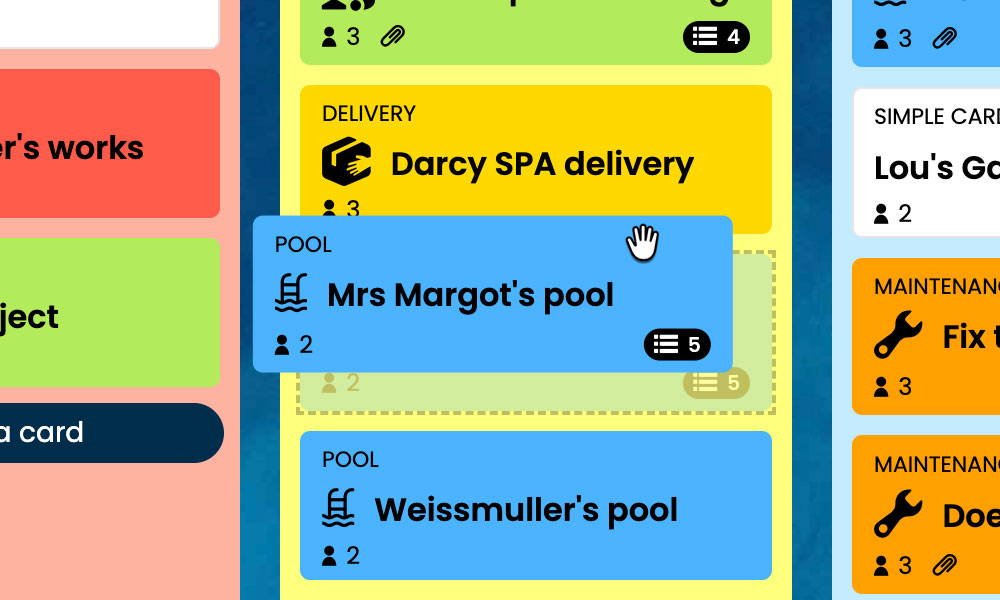
Kanban: Visualise your graphic design projects and their progress, from brief to delivery.
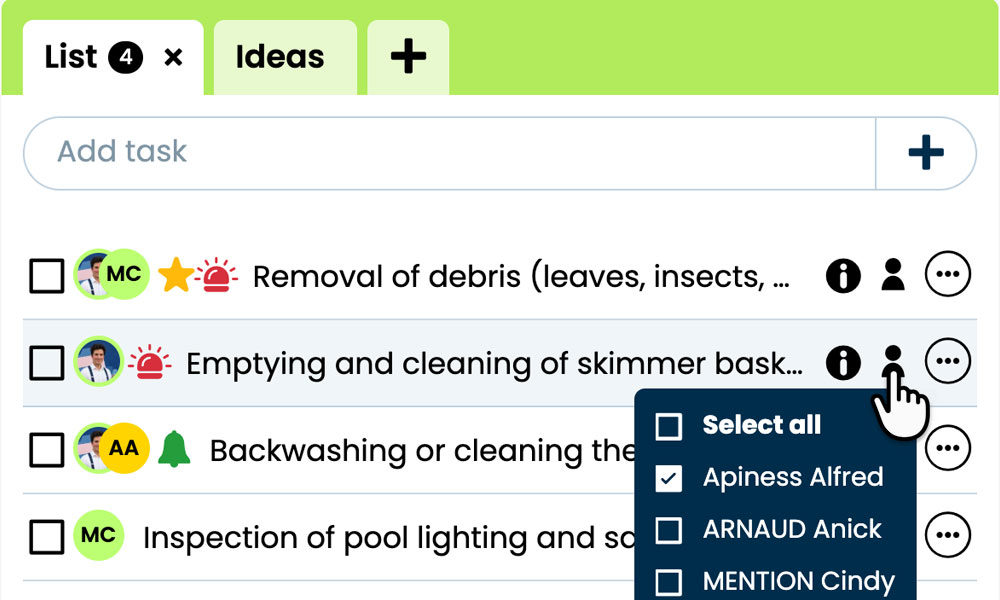
GTD: Organise the tasks, notes and files for each design project to keep your mind clear.
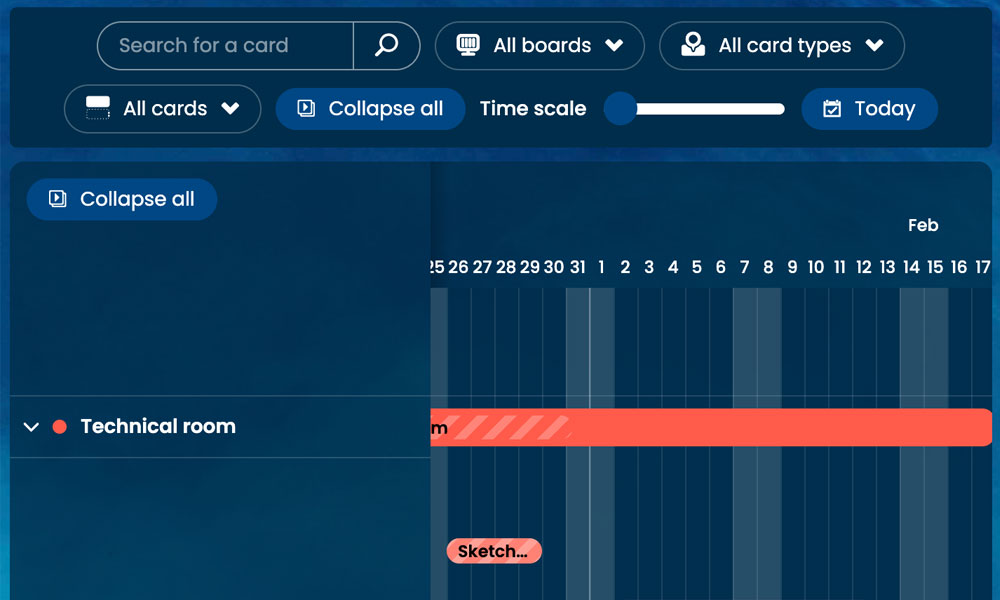
Gantt: Schedule design stages and approvals on a timeline.
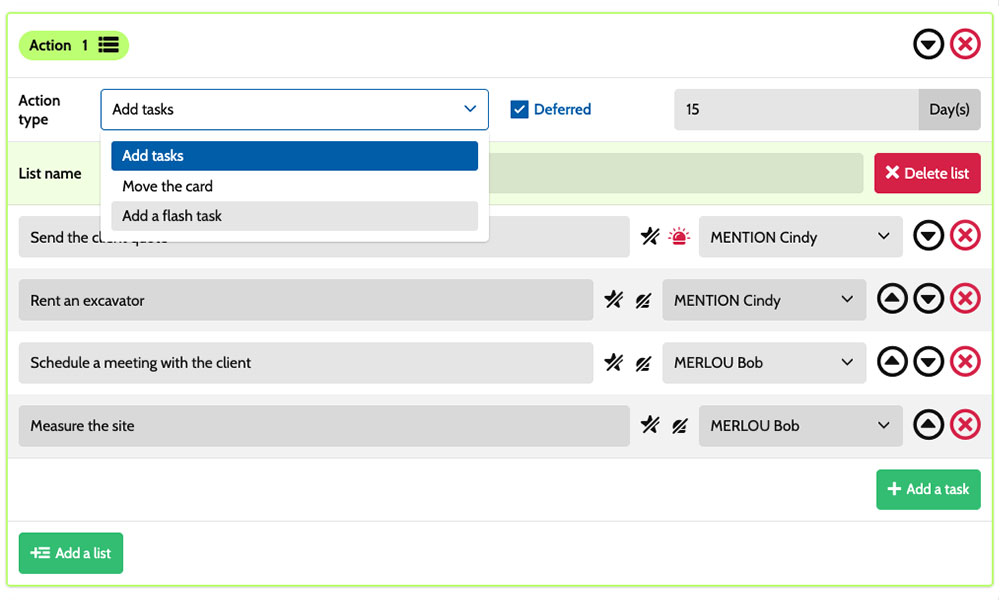
Workflow: Automate tasks with scenarios tailored to your agency.
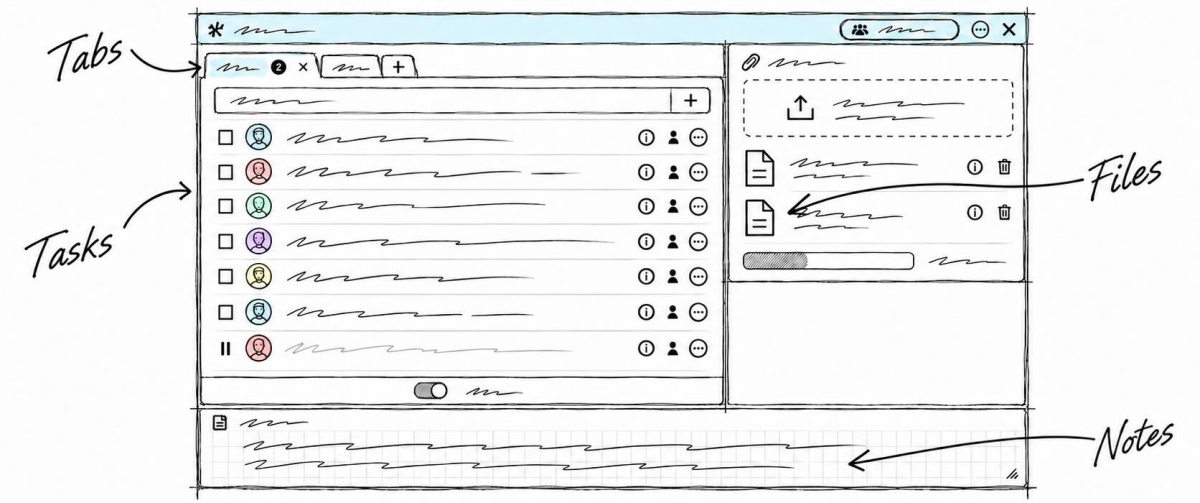
Inside each card, you break down the work :
check the copy, create layouts, incorporate revisions or prepare print-ready files. Task assignments make it clear who is responsible, while deadlines help you organise the work around the delivery date. Notes and attachments bring together the brief, technical specifications and supporting documents. You have a shared framework for coordinating art direction, graphic design and client liaison, while retaining the specific requirements of each commission.
An example board for tracking your projects
Here is a customisable setup example for an agency combining brand identity, print design and marketing materials. Each card corresponds to a separate commission, with its own tasks and deadlines. The five columns provide an overview of progress, while the six card types help distinguish your services. You can adapt their names to your organisation, the role of print production in your projects and the way you manage client relationships.
Stages that match the way you work
In this example, the Brief, Concepts/Layouts, Production and Delivery / invoicing columns help you visualise project progress. The On hold column keeps paused projects visible while they await client feedback, content or a decision.
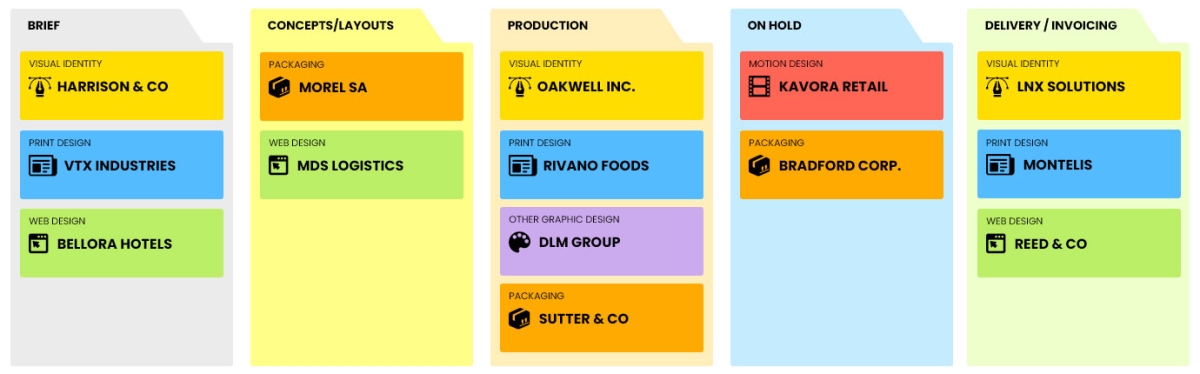
A few examples of project types: define your own!
- Visual identity: creating or redesigning a logo and its supporting visual system.
- Print design: designing brochures, catalogues, reports and other multipage documents.
- Web design : designing websites, interfaces, website mockups…
- Packaging: graphic design for packaging, labels or presentation boxes.
- Motion design: creating animated graphics, explainer videos…
- Other graphic design : creating illustrations, infographics or visual assets…
Scenarios and workflow:
customise your project automation
1️⃣ The trigger
A sales brochure has been scoped in Brief, then developed in Concepts/Layouts. Once the client approves the layout, the project manager moves its card to Production to begin producing the document.
You can configure a scenario that triggers when a card of type Print design enters this column. Otilus recognises this combination and runs the configured actions. You define the relevant project types, the stage that triggers the scenario and the tasks to create automatically, based on your agency’s working practices and your team’s needs.
2️⃣ The actions (workflow)
Otilus automatically creates the tasks defined in the scenario:
- check the final content
- incorporate the copy and visuals
- finalise the page layout
- proofread and prepare the print proof for approval.
These actions are assigned to the selected team members:
the project manager handles content, the graphic designer handles production and the art director reviews the design. You customise the tasks, their assignees and their priorities.
3️⃣ The result
The brochure moves into production with clearly defined actions and responsibilities. Each team member can view their tasks, instructions and relevant files, then tick off completed actions.
The project manager can see what remains to be done before sending the document to the client or printer.
The team keeps revisions and approvals under control. Once the print proof is approved, the project manager moves the card to Delivery / invoicing. If information is missing, they move the project to On hold so the blocker remains clearly visible on the shared board.
An approach tailored to visual creative professionals
This board can also suit a graphic design studio, a branding agency, a packaging design studio, an illustration studio or a corporate communications agency. These activities share a process built around a brief, creative exploration, rounds of revisions and the delivery of files in specified formats. Card types can then reflect their specialisms: brand identities, illustration collections or corporate publications. The stages can be adjusted to match their design, approval and, where relevant, production processes.
Organise your upcoming briefs, design projects and deliveries on a board tailored to your agency.
No credit card required