
Project management for civil engineering contractors
Coordinate your teams and prepare site operations while keeping track of project deadlines.
No credit card required
A tool to coordinate your site teams
Keep a clear overview of your construction sites, outstanding design work and upcoming site operations. As a civil engineering contractor, you need to coordinate several projects without losing information from the field or letting a missing document hold up a team. Otilus helps you organise every project, from the initial request through to final inspections and closeout.
A utility connection is waiting for existing service plans, an earthworks project needs clarification on levels, and road resurfacing must be coordinated with other contractors. Between restricted access, incomplete technical information and schedule changes, hold-ups accumulate. A project may appear ready to start while the team is still missing an essential instruction or document.
In Otilus, each card represents a project: a utility connection, an earthworks job or a road resurfacing project. The columns show its stages. You can quickly identify projects under design, work in progress and operations on hold. Card types distinguish your services so you can find Utilities or Roadworks projects when preparing a progress meeting with site managers and site teams.
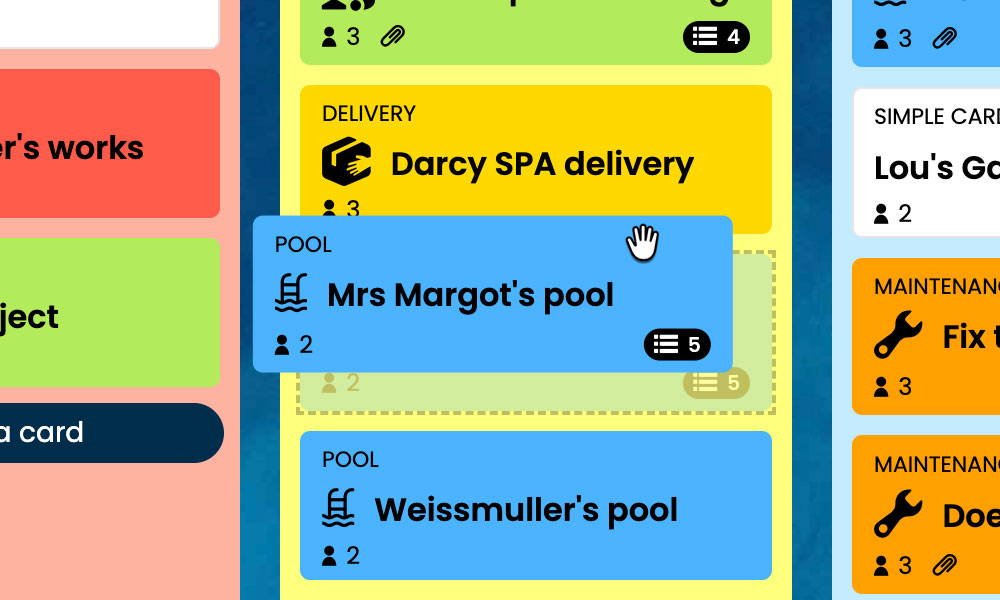
Kanban: See your construction projects and track their progress from the initial request to closeout.
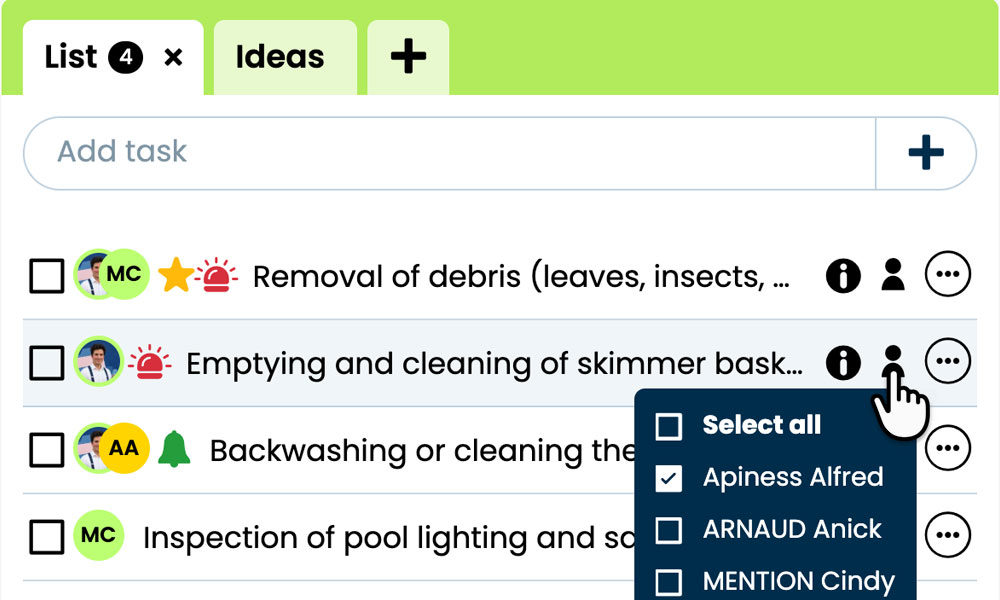
GTD: Organise each project's tasks, notes and files to keep your mind clear.
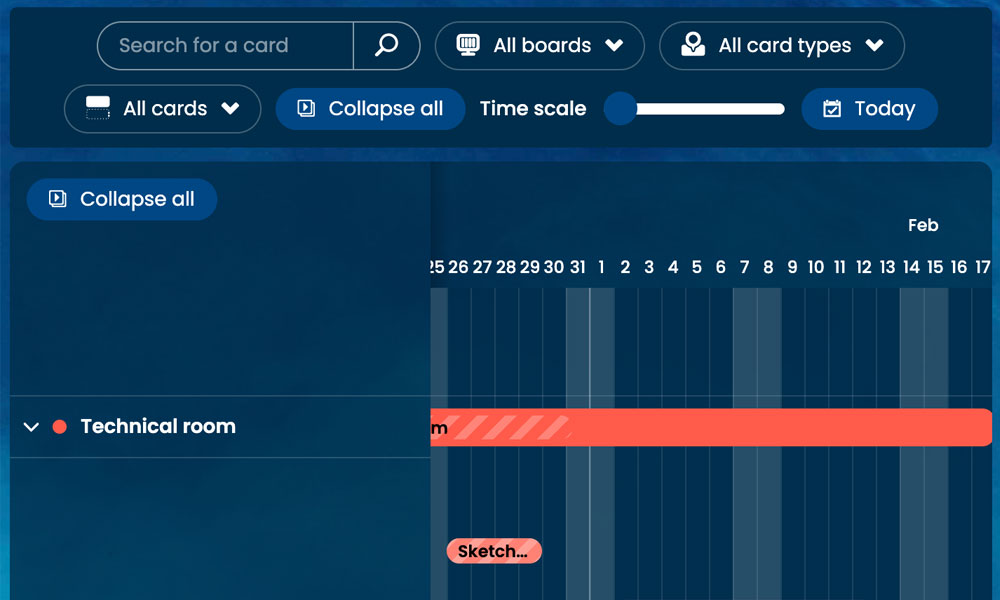
Gantt: View your project's stages and deadlines on a timeline.
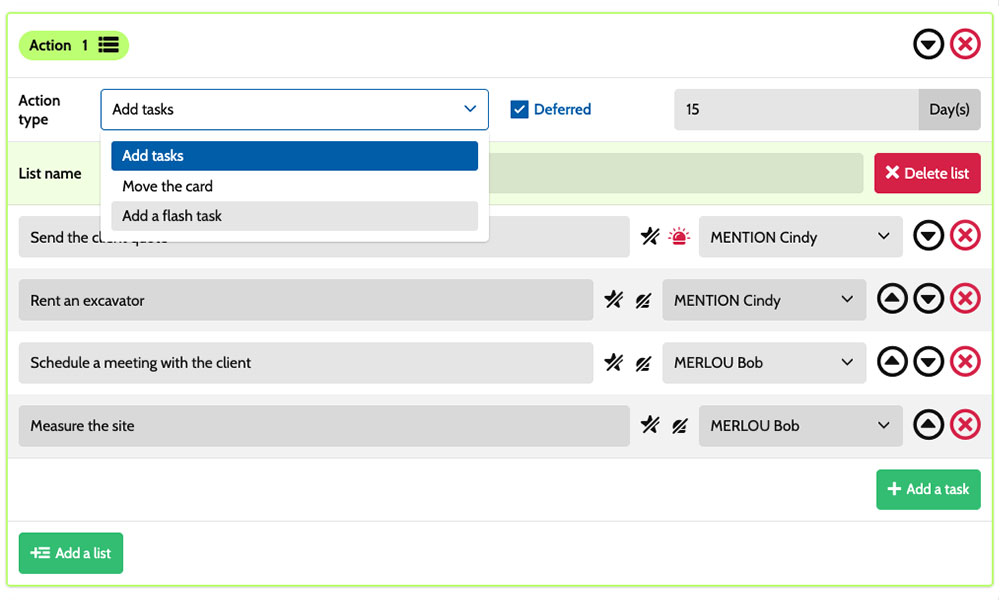
Workflow: Create tasks using scenarios tailored to your construction projects.

Inside each card, you detail the actions required :
gather plans, confirm access arrangements, prepare site work or inspect completed works. Task assignments make responsibilities clear, while priorities help distinguish urgent issues from preparations that need advance planning. Notes and attachments bring together instructions, survey records and documents relevant to the site. You have a shared framework for coordinating the design office, site managers and team leaders while retaining the specific requirements of each project.
An example board for tracking your construction projects
Here is a customisable example setup for a contractor carrying out utility connections, earthworks and roadworks. Each card represents a separate project, with its own tasks and deadlines. The five columns provide an overview of progress, while the six card types distinguish the services you deliver. You can adapt their names to your organisation, the work you undertake and the way your teams track progress.
Stages that match the way you work
In this example, Request, Design/Works declaration, Site works and Closeout show how projects are progressing. The On hold column keeps suspended operations visible while they await plans, site access or a decision needed to resume work.

Some examples of project types: define your own!
- Minor civil works: construction of small masonry structures and external infrastructure features.
- Utilities: installation or rehabilitation of underground pipes and service connections.
- Earthworks : site preparation through excavation, filling or grading.
- Roadworks: construction or resurfacing of roads and footpaths.
- Maintenance: upkeep and repair of existing structures or infrastructure.
- Other : additional services reflecting the company's areas of expertise.
Scenarios and workflow:
customise your project automation
1️⃣ The trigger
A utility connection was recorded in Request, then prepared in Design/Works declaration. After reviewing the plans and access conditions, the site manager moves its card to Site works to organise the site team's work.
You can configure a scenario for the Utilities type whenever a card enters the Site works column. Otilus uses this combination to create the predefined tasks. You choose the actions to prepare, their owners and their priorities according to your company's organisation, the connection's specific requirements and the needs of the people working on site.
2️⃣ The actions (workflow)
Otilus automatically creates the tasks defined in the scenario:
- check the available plans
- confirm access arrangements with the client
- prepare the equipment for the connection
- inspect the installation and record site observations.
These actions are assigned to the team members you choose:
the technician for the plans, the site manager for access arrangements and the team leader for the site work. You customise the tasks, their owners and their priorities to suit the job.
3️⃣ The result
Work on the utility connection begins with defined actions and responsibilities. Each team member can find their tasks, plans and relevant instructions, then tick off completed actions.
The site manager can identify the preparations or inspections still required before completing the connection.
The team stays in control of site operations and inspections. After checking the connection, the site manager manually moves the card to Closeout. If access becomes unavailable, they move the project to On hold to make the delay visible and organise the resumption of work.
An approach suited to contractors working on infrastructure
This board can suit a drainage contractor, a utilities specialist, an external works team, a road maintenance contractor or a technical department responsible for infrastructure. These activities share technical preparation, on-site operations, team coordination and inspections before closeout. Card types can reflect their specialisms: service connections, localised repairs or structural maintenance. The stages can be adjusted to their design, preparation and site work processes, taking account of access constraints and the information needed to carry out the works.
Organise your upcoming construction projects, site operations and inspections on a board tailored to civil engineering works.
No credit card required