
Clear, synchronized phases to anticipate and never miss a thing
Well-defined phases, visible timelines, and seamless synchronization with your calendars : Otilus simplifies day-to-day project control.
When planning is under control, it becomes a strategic ally
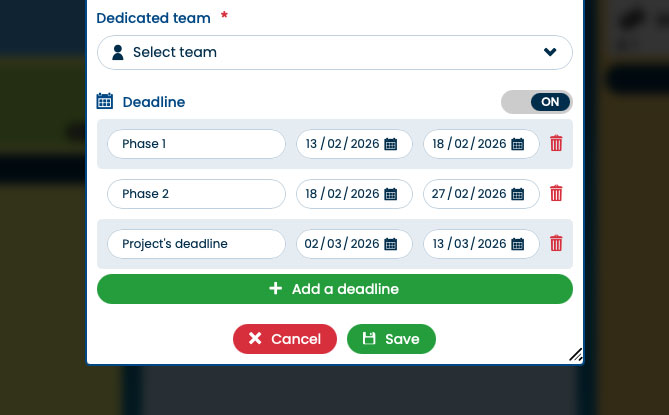
In Otilus, each project is structured into programmable phases, with clearly defined start and end dates.
- The tool automatically monitors deadlines
It flags delays, highlights phases nearing completion using color labels, and shows at a glance which projects are on schedule. - Three days before a phase ends
Otilus can send an SMS reminder, then one each morning until the due date to ensure tasks are properly completed. - Gantt chart
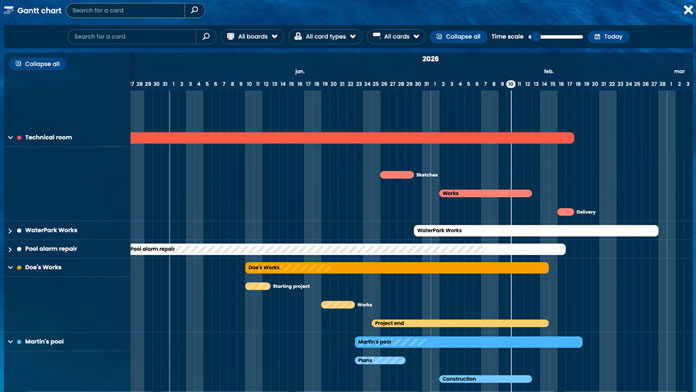
Because everything is tied to dates, a Gantt chart is generated automatically to visualize the entire schedule.
Your phases synchronized with your calendar
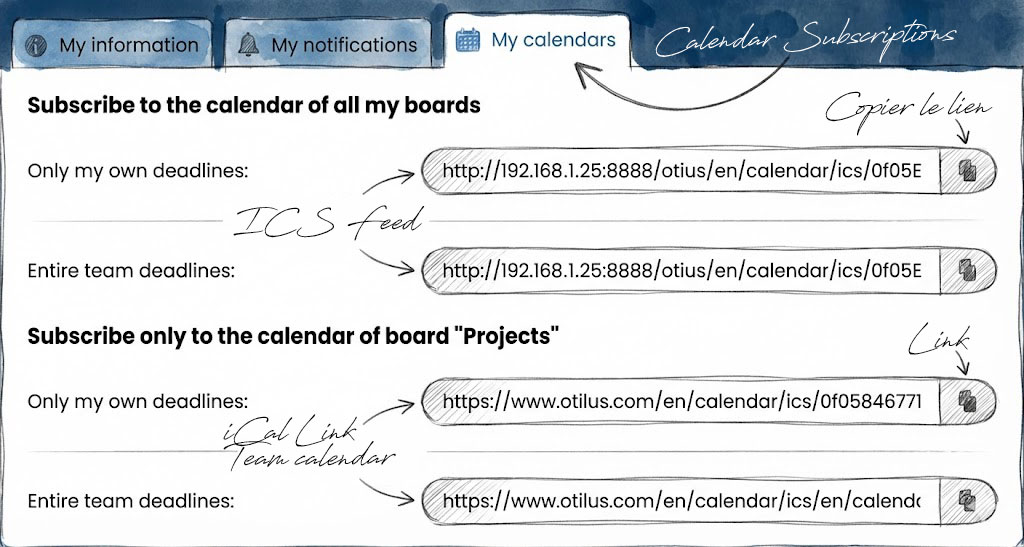
Phase deadlines can be synchronized with your preferred calendars (iCal, Google Calendar, Outlook…) via an ICS feed.
- Your key dates appear automatically in your usual calendar, without double entry.
- Otilus integrates into your existing organization while keeping you in control of your projects.
My Tasks: all your priorities and deadlines on one screen
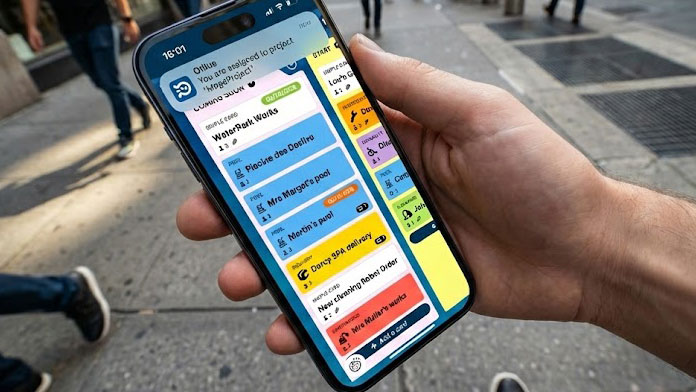
With My Tasks, Otilus automatically gathers all tasks that concern you, regardless of their project, phase, or originating service. No need to browse cards and boards: each task is grouped, prioritized, and linked to its deadlines.
At a glance, you know what to do, when to act, and which project phase you are in.
An interface designed to support time management for ADHD and ASD
In Otilus, accessibility shapes the tool down to the organization of phases and deadlines. The interface offers a simple time-based reading of projects and seamless calendar synchronization.
This design makes anticipation easier for people with ADHD, ASD…
Otilus archives: memory over time
Archiving does not mean making things disappear. It means preserving the active and long-term memory of your projects. A card leaves the active boards, but its steps, tasks, notes, and decisions remain accessible over time.
With filters, you can retrieve any past project, and if needed, a card can be restored at any time.