
Project management for sales and service businesses
Coordinate your services and track client projects while keeping your commitments in focus.
No credit card required

A tool to coordinate your client commitments
Keep a clear view of pending proposals, services underway and deliveries to prepare. In sales and services, you need to coordinate client requests while keeping track of your commitments and preventing missing information from delaying an order. Otilus helps you organise your client projects, from initial contact through to delivery tracking and invoicing.
A maintenance contract is awaiting approval, an equipment order needs an availability date, and a site visit requires contact details. Between clarifying quotes, communicating with suppliers and checking team availability, dependencies soon add up. A project may look ready while still missing a product reference or an essential confirmation needed to start the work.
In Otilus, each card represents a project: a maintenance contract, an equipment order or an assignment at a client's premises. The columns show its phases. You can quickly identify projects awaiting a quote, those with work underway and those on hold. Card types distinguish your activities, making it easier to find contracts or support requests when preparing a team meeting.
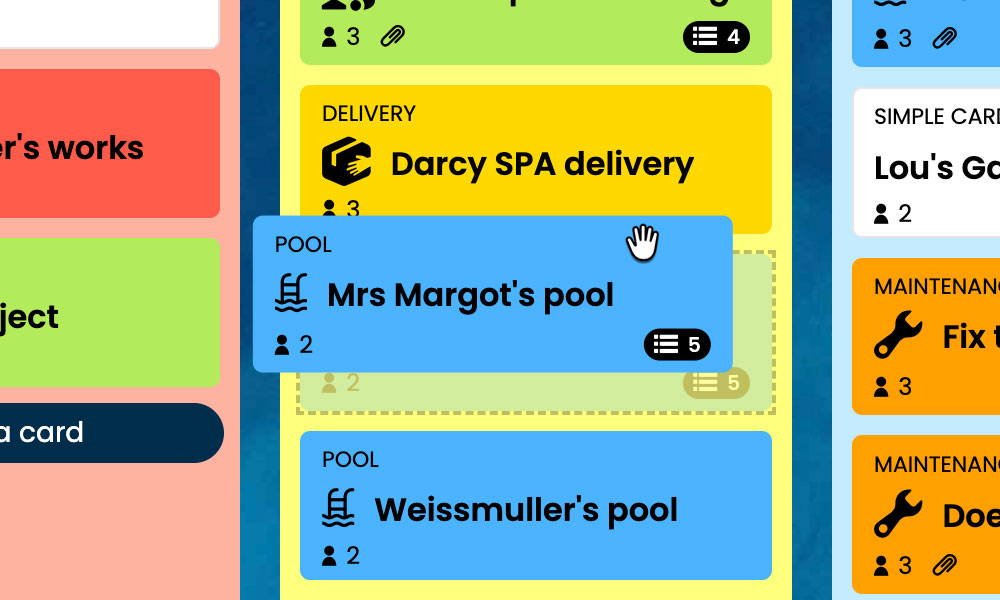
Kanban: Visualise your client projects and their progress, from initial contact to delivery.
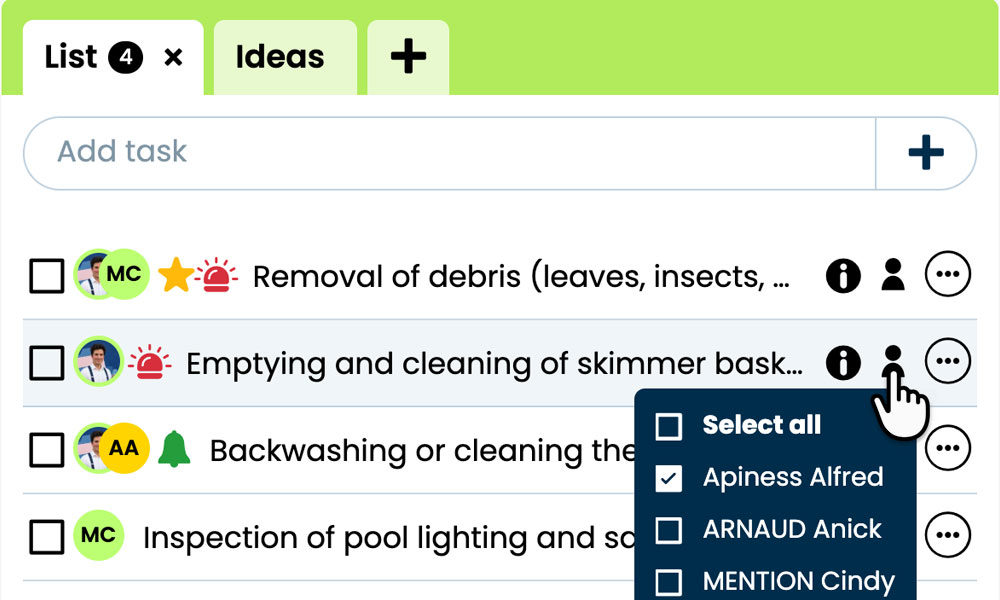
GTD: Organise each project's tasks, notes and files to prepare your service visits.
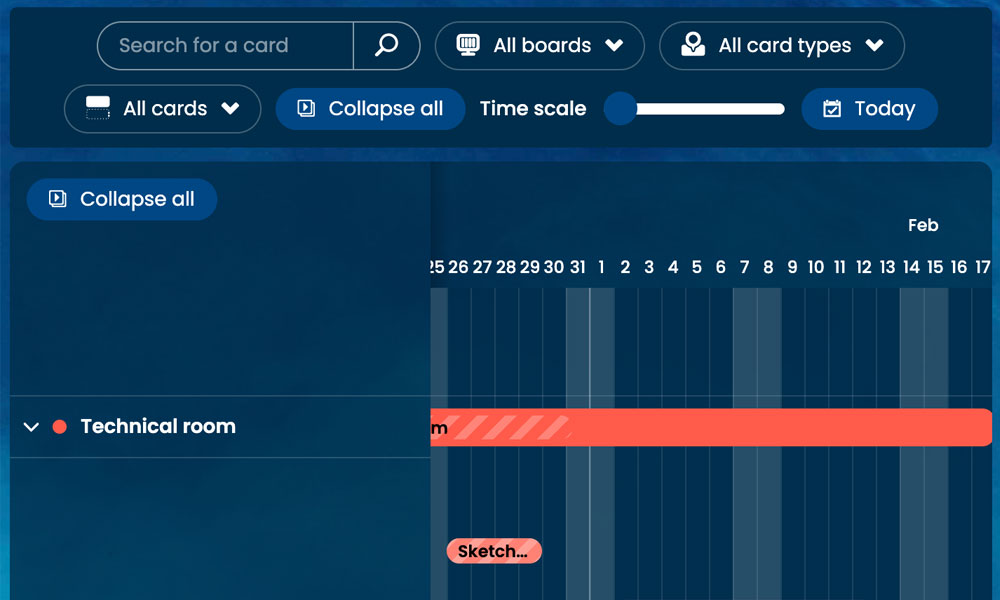
Gantt: Plan service delivery phases and their deadlines on a timeline.
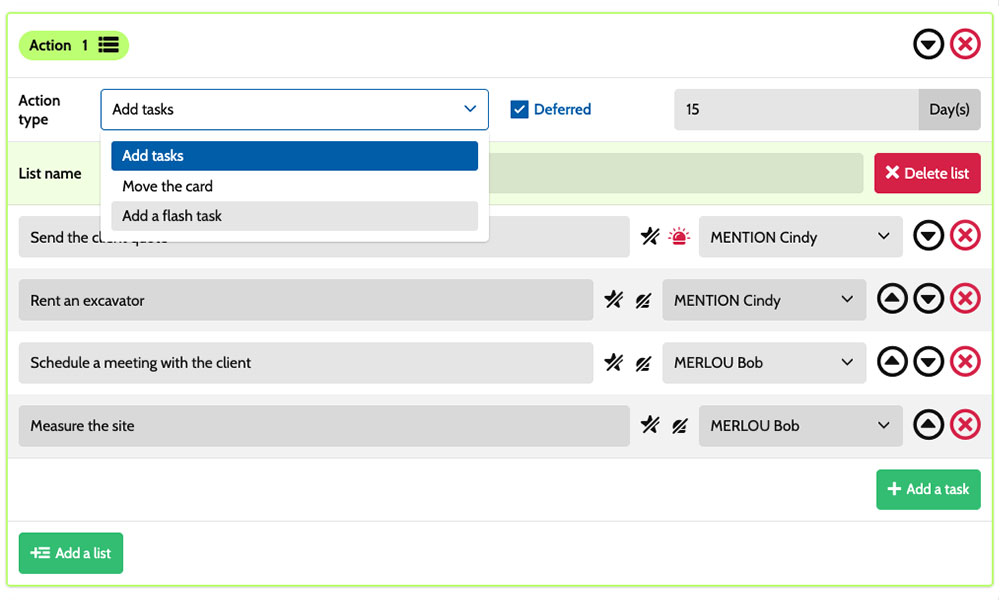
Workflow: Automate task creation based on your services and project phases.
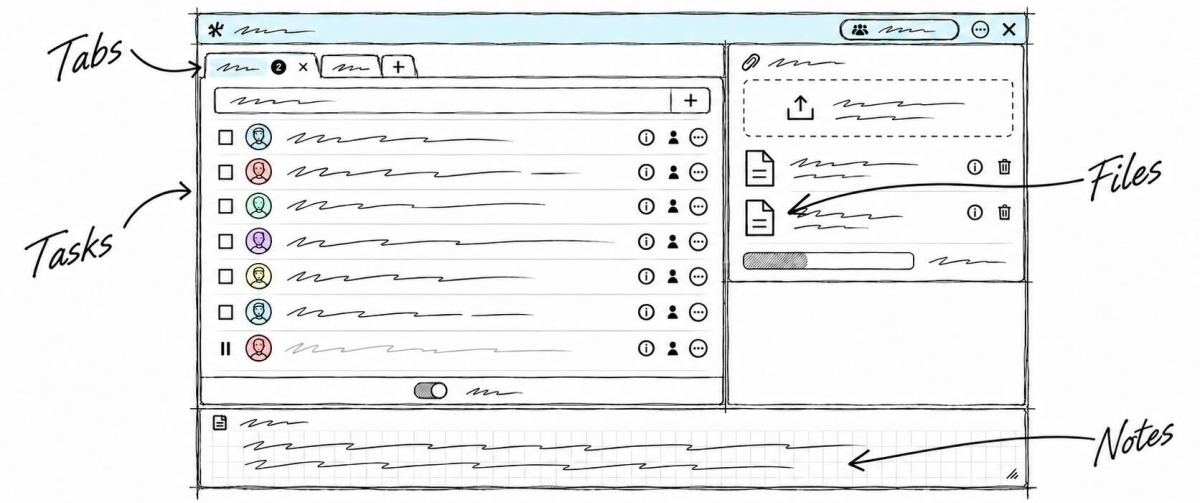
Inside each card, you detail the actions required:
clarify the requirements, prepare quote details, confirm availability or check delivery information. Task assignments show who is responsible, while priorities help distinguish urgent actions from preparations to plan ahead. Notes and attachments bring together conversations, product specifications and relevant project documents. You have a shared framework for coordinating sales staff, service teams and administration while retaining the specific requirements of each commitment.
An example board for tracking your client projects
Here is an example of a customisable setup for a business combining product sales, service contracts and one-off assignments. Each card represents a separate client project, with its own tasks and deadlines. The five columns provide an overview of progress, while the six card types distinguish the different services. You can adapt their names to your organisation, the duration of your commitments and the way you manage client relationships.
Phases that match the way you work
In this example, the Leads, Proposal/quote, Service delivery/follow-up and Delivery/invoicing columns show the progress of client projects. The On hold column keeps paused projects visible while awaiting approval, supplier availability or information from the client.
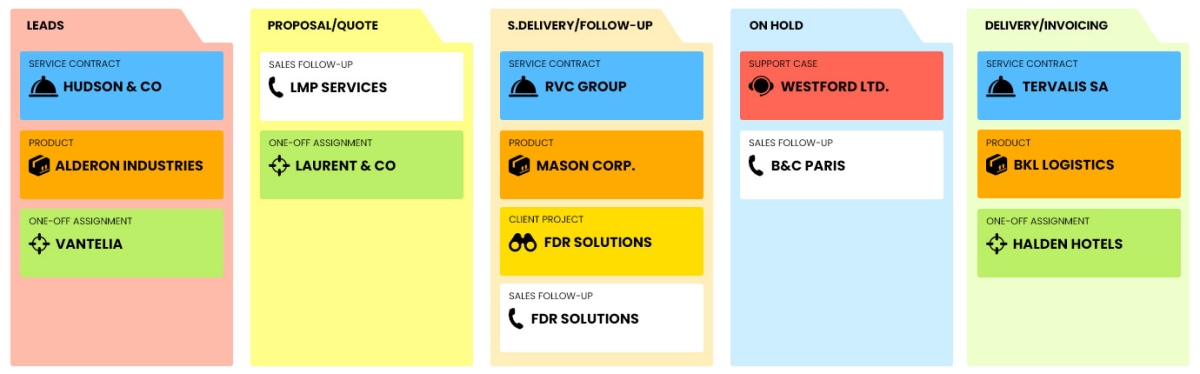
A few examples of project types: define your own!
- Service contract: a recurring service with defined commitments and a set duration.
- One-off assignment: a clearly scoped piece of work addressing a specific client need.
- Product : a sales project for an item or piece of equipment.
- Client project: a service involving several areas of work for one client.
- Support case: a support request requiring organised follow-up.
- Sales follow-up : a project dedicated to following up on a sales opportunity.
Scenarios and workflows:
customise your project automation
1️⃣ The trigger
An annual maintenance contract starts in Leads, then its scope is defined in Proposal/quote. Once the client approves it, the manager moves its card to Service delivery/follow-up to prepare the first maintenance visit for the site's equipment.
You can configure a scenario for the Service contract type when it enters the Service delivery/follow-up column. This combination triggers the creation of predefined tasks. You choose the actions to prepare, their assignees and their priorities based on the equipment involved, the contractual commitments and the way your sales representative and team coordinate their work.
2️⃣ The actions (workflow)
Otilus automatically creates the tasks defined in the scenario:
- check the equipment covered by the contract
- confirm the site contact's details
- prepare the equipment for the service visit
- agree a time slot with the client for the first service visit.
These actions are assigned to the selected team members:
the sales representative handles the scope, the administrative assistant checks the contact details, and the technician prepares the equipment and arranges the time slot. You customise the tasks, their assignees and their priorities to suit your organisation.
3️⃣ The result
The contract moves into service delivery with clear actions and responsibilities. Each team member can find their tasks, the site's contact details and the documents needed to prepare the visit.
The manager can identify outstanding preparations and missing information before sending the technician to the site.
The team carries out the actions and stays in control of communications. After the visit and the required checks, the manager manually moves the card to Delivery/invoicing. If a piece of equipment is missing, they place the project On hold so everyone can see what is causing the wait.
An organisation suited to sales and service businesses
This board can also suit a maintenance company, a professional equipment distributor, a cleaning company, an IT support provider or an equipment hire business. These activities all involve requests to qualify, proposals to prepare, resources to coordinate and services to track through to completion. Card types can reflect the categories of projects handled, according to each company's specialisms. The phases can be adapted to sales commitments, team availability and agreed delivery terms.
Organise your proposals, service visits and deliveries on a board tailored to managing client projects.
No credit card required