
Project management for coaches and trainers
Prepare your sessions and coordinate delivery while keeping track of your coaching and training programmes.
No credit card required
A tool to coordinate training and coaching
Keep a clear overview of your programmes, the sessions to prepare and the reviews due. As a coach or trainer, you need to coordinate several assignments while keeping track of participants’ needs and ensuring missing information does not delay a session. Otilus helps you organise this work, from the initial request to the final programme review, together with your delivery team and partners.
A group training course is awaiting its participant list, a team coaching assignment needs clearer objectives, and a practical workshop is approaching without confirmed equipment. Between trainer availability, materials to prepare and client expectations, bottlenecks build up. An assignment may seem ready even though the programme has yet to be shared or essential information is still missing to tailor the exercises.
In Otilus, each card represents a project: a practical workshop, a group training course or a development programme. The columns show its phases. You can quickly identify assignments being prepared, those getting started and those on hold. Card types distinguish your delivery formats, making it easier to find coaching or training projects when preparing a progress meeting with your delivery team.
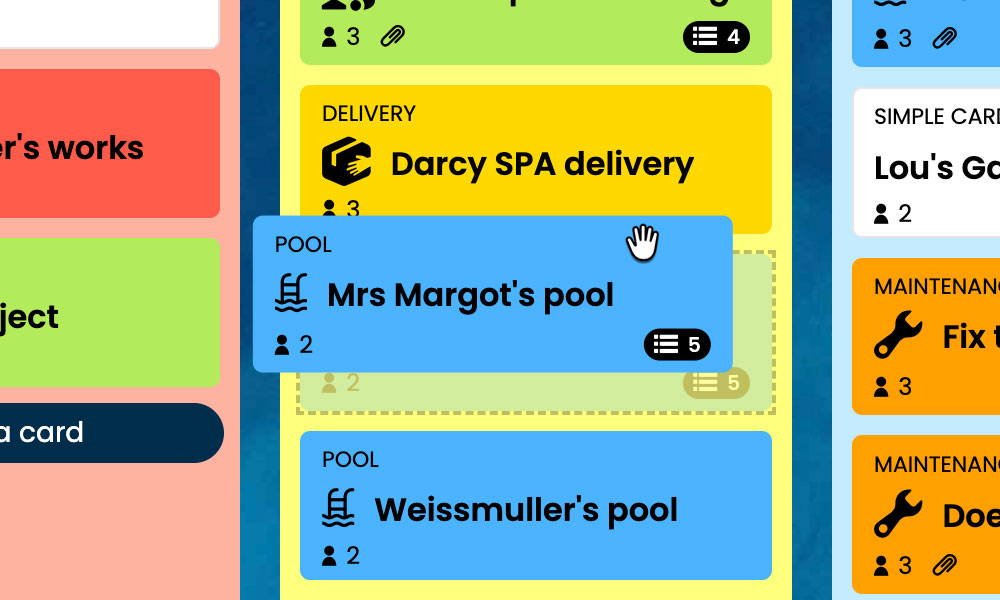
Kanban: Visualise your programmes and their progress, from the initial request to the final review.
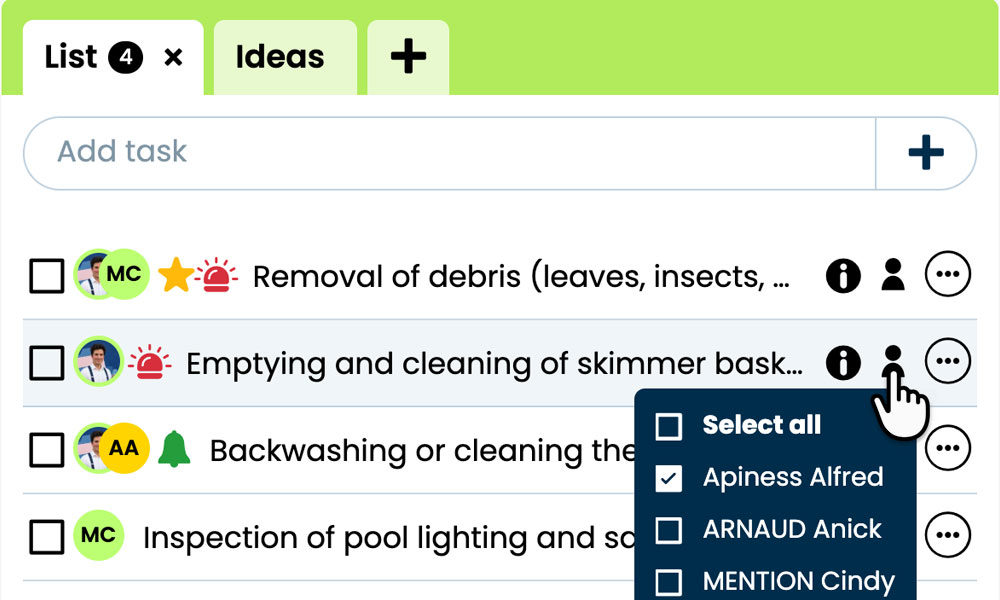
GTD: Organise the tasks, notes and files for each assignment to prepare your sessions.
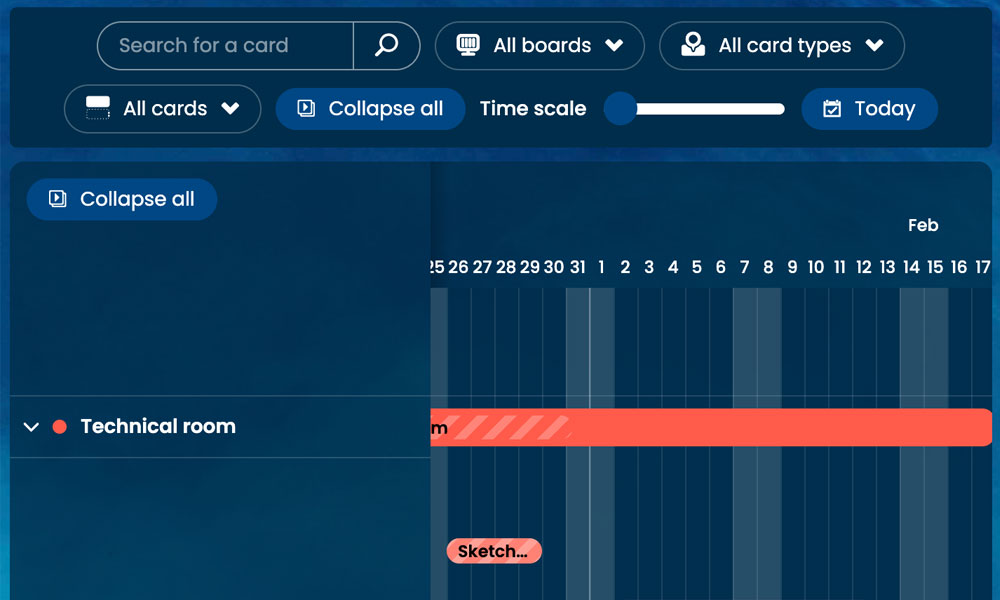
Gantt: Track programme phases and deadlines in a timeline view.
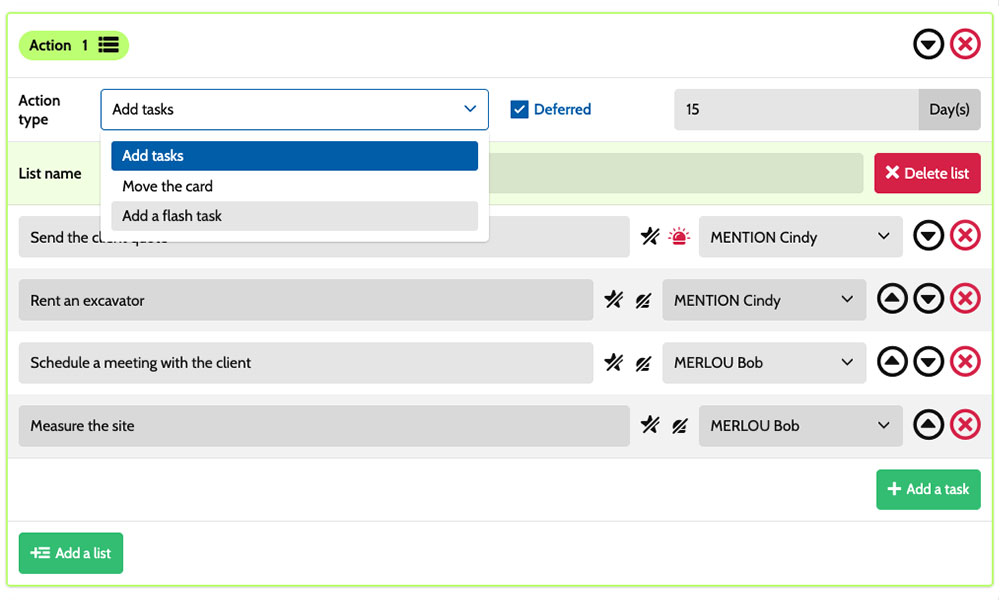
Workflow: Create tasks automatically based on the phases of your programmes.
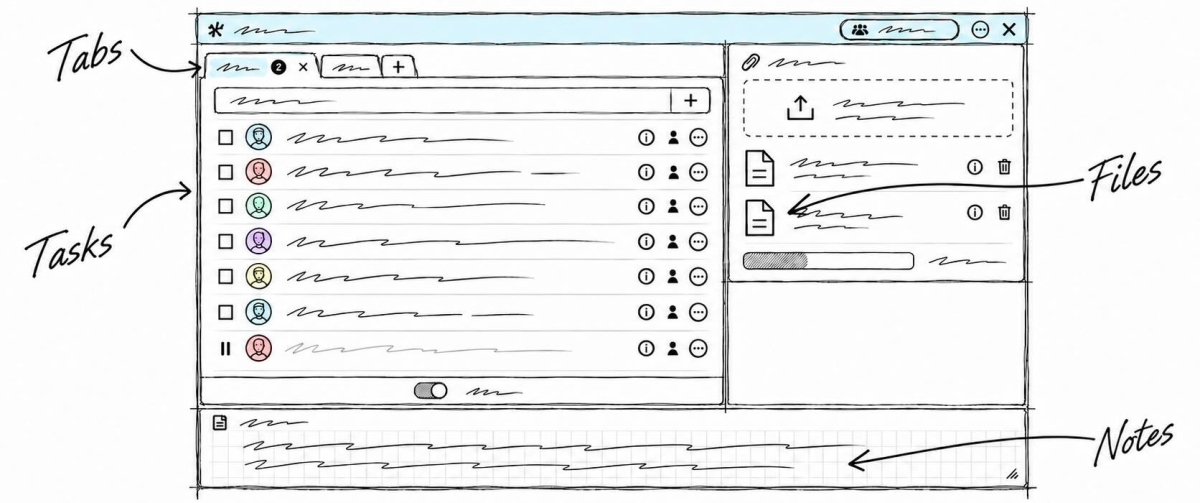
Inside each card, you detail the actions to take:
clarify objectives, prepare exercises, gather materials or write a session summary. Task assignments make responsibilities clear, while priorities help organise preparations before each session. Notes and attachments bring together the initial request, programme and supporting documents. You have a shared framework to coordinate coaches, trainers and training managers, while accommodating the specific needs of each audience and assignment.
An example board to track your programmes
Here is an example of a customisable setup for an organisation offering workshops, training and coaching programmes. Each card corresponds to a separate assignment, with its own tasks and deadlines. The five columns provide an overview of progress, while the six card types distinguish the delivery formats. You can adapt their names to your organisation, the length of your programmes and the way your delivery team and partners coordinate their work.
Phases that match the way you work
In this example, the Request, Preparation, In progress and Review columns show how assignments are progressing. The On hold column keeps paused programmes visible while awaiting availability, client approval or participant information.
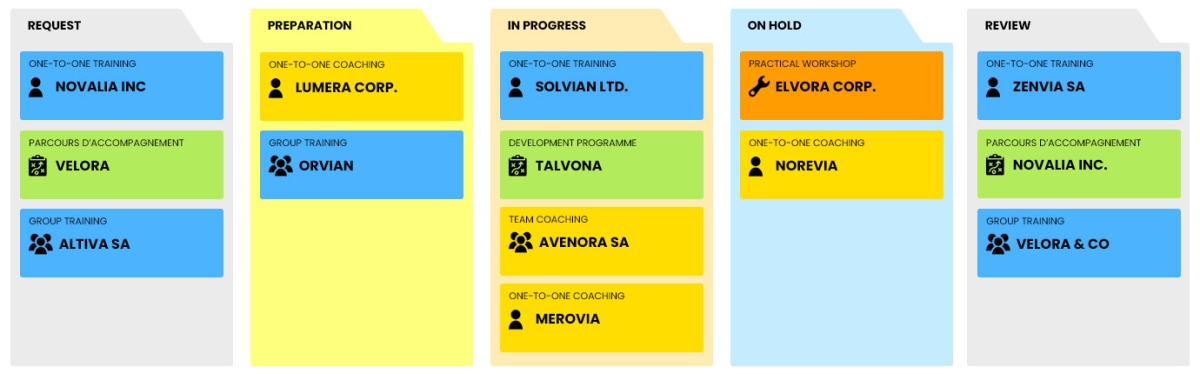
A few examples of project types: define your own!
- Practical workshop: a session focused on experimentation and the practical application of a specific skill.
- One-to-one coaching: personalised coaching focused on an individual’s goals.
- Team coaching: coaching to strengthen collaboration and the way a team works together.
- One-to-one training: personalised learning to develop skills.
- Group training: structured learning delivered to several participants together.
- Development programme: a programme combining several complementary delivery methods.
Scenarios and workflow:
customise your project automation
1️⃣ The trigger
A group training course in public speaking is recorded in Request. After clarifying the target audience and objectives with the client, the coordinator moves its card to Preparation to organise all the planned sessions.
You can configure a scenario so that a card of type Group training triggers task creation when it enters the Preparation column. This combination of card type and entry into the column launches the planned actions. You choose the tasks to create and who is responsible for them, based on the agreed programme and your training delivery setup.
2️⃣ The actions (workflow)
Otilus automatically creates the tasks defined in the scenario:
- confirm the learning objectives
- design group speaking exercises
- gather the session materials
- prepare an observation checklist for the practice activities.
These actions are assigned to the selected team members:
the training manager for the objectives, the trainer for the exercises and materials, and the co-facilitator for the observation checklist. You customise the tasks, their assignees and their priorities.
3️⃣ The result
The training course moves into preparation with clear responsibilities. Each team member can find their tasks, objectives and materials, complete their preparations and tick off finished actions.
The training manager can identify outstanding preparations and points to address before delivering the course.
The team stays in control of preparations. Once the programme and exercises are ready, the coordinator manually moves the card to In progress to track the sessions. If the client postpones the assignment, they move the programme to On hold to keep the delay visible on the board.
An approach suited to coaching and learning professionals
This board can also suit a training provider, a career development consultancy, a team of facilitators or an internal training department. These activities all involve analysing a request, preparing sessions, coordinating specialists and reviewing outcomes with the client. Card types can then reflect their services: peer learning workshops, career transition coaching or onboarding programmes. The phases can be adjusted to their preparation, delivery and evaluation stages, depending on the audiences they work with and the format of each assignment.
Organise your upcoming training courses, sessions and reviews on a board tailored to your programmes.
No credit card required