
Project management for web developers
Coordinate development and bug fixes while keeping your launch dates in sight.
No credit card required

A tool to coordinate your web projects
Keep a clear view of ongoing development, outstanding feedback and upcoming deployments. When several websites are progressing at once, you need to coordinate contributions, keep track of client requests and prevent missing access credentials from holding up the whole team. Otilus helps you organise web projects, from initial requirements to the final checks before launch.
A Brochure website is waiting for content, a Web app needs user testing and an E-commerce website must be ready before a sales campaign. Between missing server credentials, interface feedback and bugs discovered during testing, blockers can pile up. A delivery may seem close even though a form still fails or a decision about how the shopping basket should work is still pending.
In Otilus, each card represents a project: a Brochure website, a Web app or a Maintenance contract. The columns show its phases. You can quickly identify projects being prepared, those under development and those awaiting a response. Card types distinguish your services, making it easy to find SEO or Audit projects when preparing a review with your technical team.
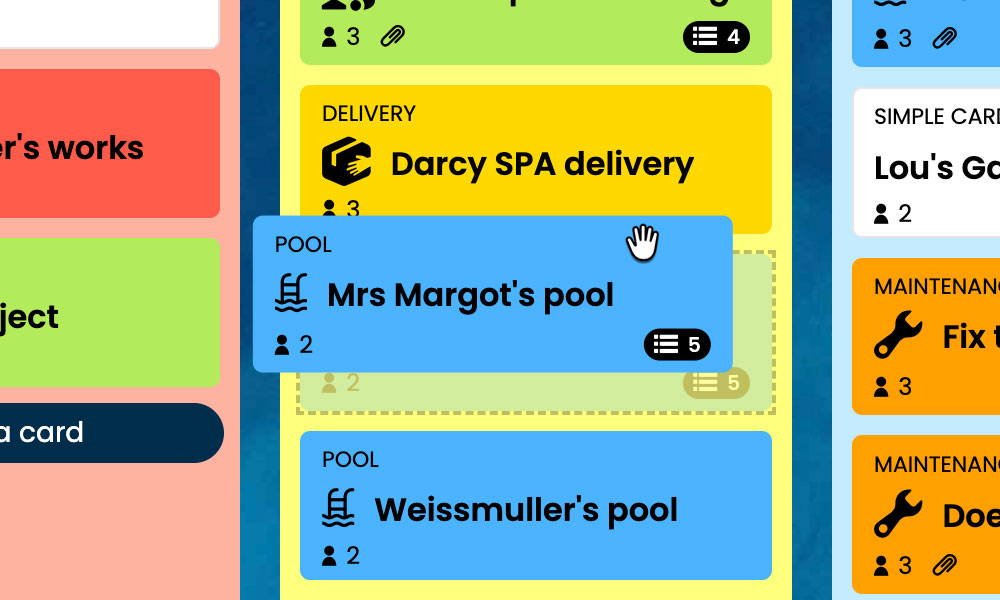
Kanban: Visualise your web projects and their progress, from initial scoping to launch.
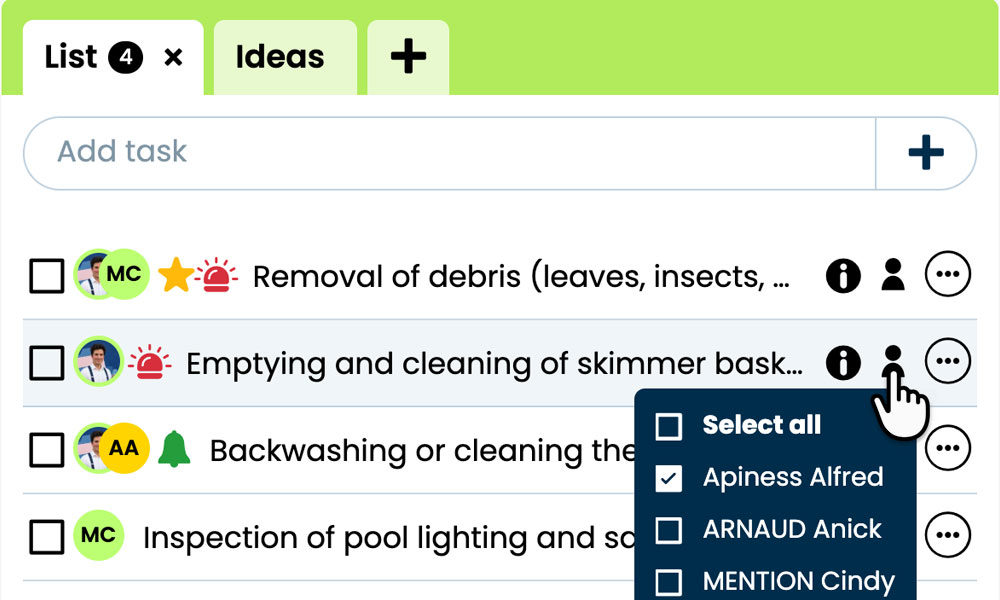
GTD: Keep each project's tasks, notes and files together so information is easy to find.
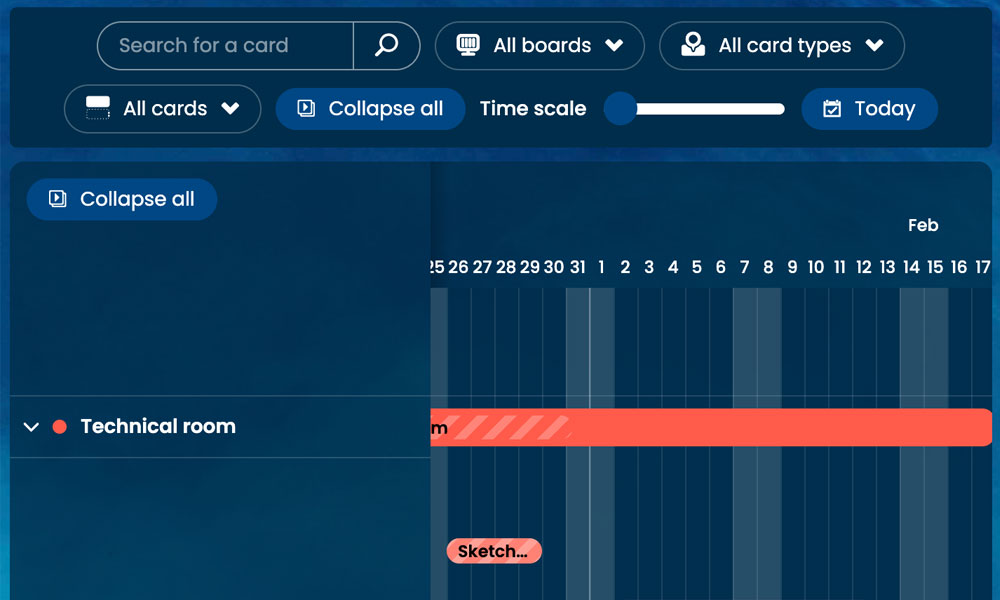
Gantt: View development phases and their deadlines on a timeline.
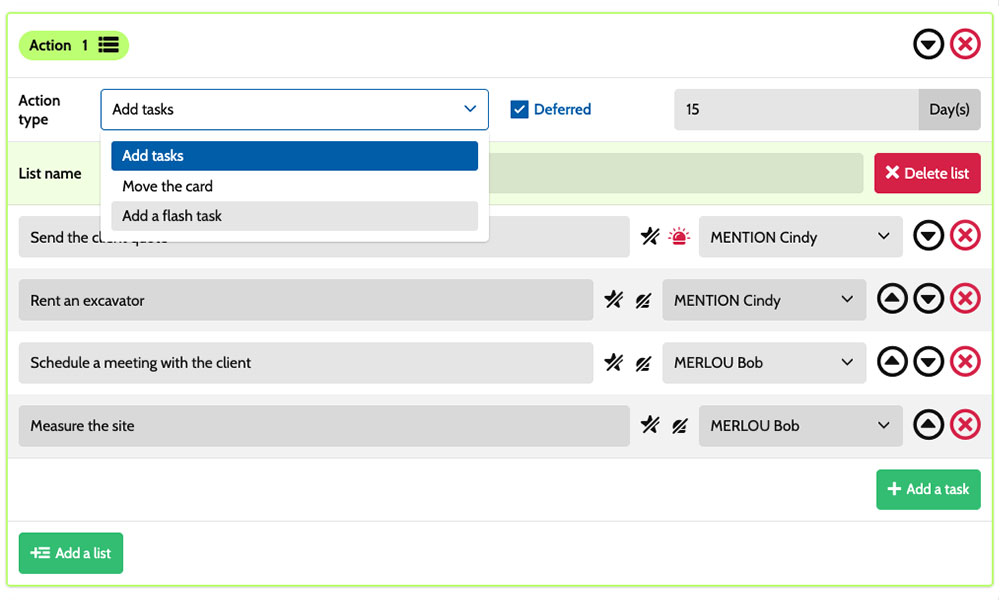
Workflow: Automatically create tasks based on your web project types.

Inside each card, you break down the work :
add content, develop forms, test user journeys or prepare server access. Task assignments clarify who is responsible, while priorities help distinguish blocking bugs from minor adjustments. Notes and attachments bring together specifications, technical instructions and useful project documents. You have a shared framework for coordinating developers, front-end specialists and project managers, while retaining the specific requirements of each project.
An example board for your web development projects
Here is a customisable configuration example for a team that develops websites and applications, then provides ongoing technical support. Each card represents a separate project, with its own tasks and documents. The five columns show its progress, while the six card types distinguish the services offered. You can adapt this organisation to your development methods, team members' roles and the timing of client feedback within your delivery schedule.
Phases that match your development process
In this example, Specifications, Design mockups, Front-end/Development and Go-live show project progress. The On hold column keeps projects visible when they are paused because of missing access credentials, outstanding content or a pending client decision.
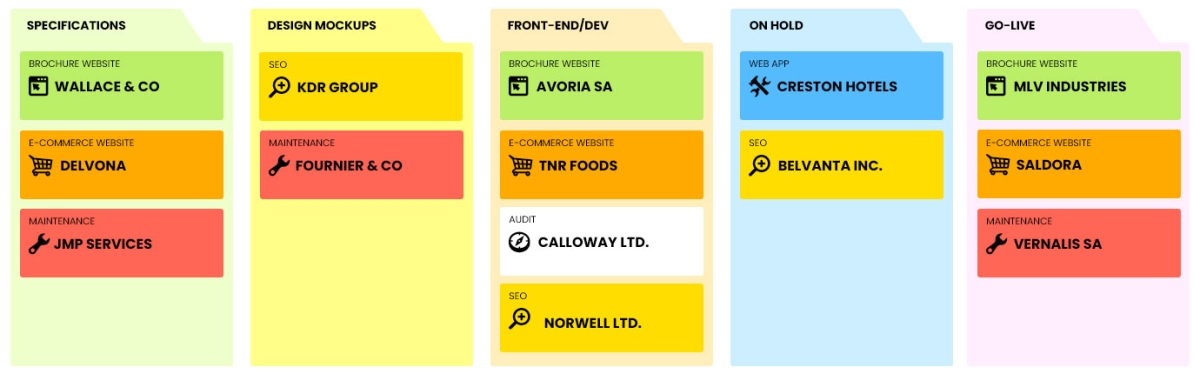
Some example project types: define your own!
- Brochure website: creating or redesigning websites that showcase a company and its services.
- Web app: developing business applications accessed directly through a browser.
- E-commerce website : designing online shops to sell products online.
- Maintenance: ongoing technical support, bug fixes and website enhancements.
- SEO: improving organic search visibility and rankings.
- Audit : assessing websites technically and recommending improvements.
Scenarios and workflows:
customise your project automation
1️⃣ The trigger
A Brochure website is scoped in Specifications, then designed in Design mockups. Once the client approves the screen designs, the project manager moves its card to Front-end/Development to begin building the pages and features.
You can configure a scenario for the Brochure website type when a card enters the Front-end/Development column. This combination forms the trigger, regardless of the card's previous location. You choose which tasks Otilus should create to prepare for website development, then set their assignees and priorities according to your organisation and the project's requirements.
2️⃣ The actions (workflow)
Otilus automatically creates the tasks defined in the scenario:
- set up the development environment
- build the pages and add their content
- develop the contact form
- test user journeys and fix bugs before delivery.
These tasks are assigned to the selected team members:
the front-end specialist handles the pages, the developer builds the form and the QA lead handles testing. You customise this workflow according to the skills available and the project's priorities.
3️⃣ The result
The Brochure website enters development with defined tasks and responsibilities. Each team member can find their tasks, the specifications and the files needed to complete the work.
The project manager tracks the remaining tasks and necessary fixes before preparing the website launch.
After testing and client approval, the project manager manually moves the card to Go-live to prepare deployment. If server access is missing, they place the project On hold: the team keeps this blocker visible and resumes work once access is available.
An approach suited to other web development teams
This board can suit a web agency, a software development team, a UI design studio or a specialist front-end development provider. These professionals share a need to scope projects, carry out technical work, run tests and coordinate delivery with several stakeholders. Cards bring their projects together, while tasks clarify each person's contribution. The phases can reflect their preparation, development and deployment stages, taking account of technical dependencies and the feedback needed before work can continue.
Organise development, bug fixes and deployments on a board tailored to your team's projects.
No credit card required