
Project management for human resources professionals
Coordinate recruitment, training and career support while keeping track of actions and deadlines.
No credit card required
A shared framework for your HR projects
Keep a clear overview of your recruitment processes, training programmes and ongoing career support. In a human resources department, you coordinate multiple projects involving managers, candidates and external providers. Otilus helps you assign actions, find relevant documents and track deadlines, from defining requirements to reviewing project outcomes.
A recruitment process is waiting for the manager’s availability, training needs to be arranged before someone starts a new role, and a career support programme requires another appointment. With meeting notes scattered across different places, objectives still unclear and responses pending from providers, progress can slow down. A process may appear to be underway even though nobody has prepared the interviews or confirmed the arrangements needed to move forward.
In Otilus, each card represents a project: a recruitment process, a training programme or a career support programme. Columns show its stages. You can identify projects that need scoping, actions underway and pending items holding up progress. Card types distinguish your activities, making it easy to find recruitment or training projects when preparing a review with managers and programme coordinators.
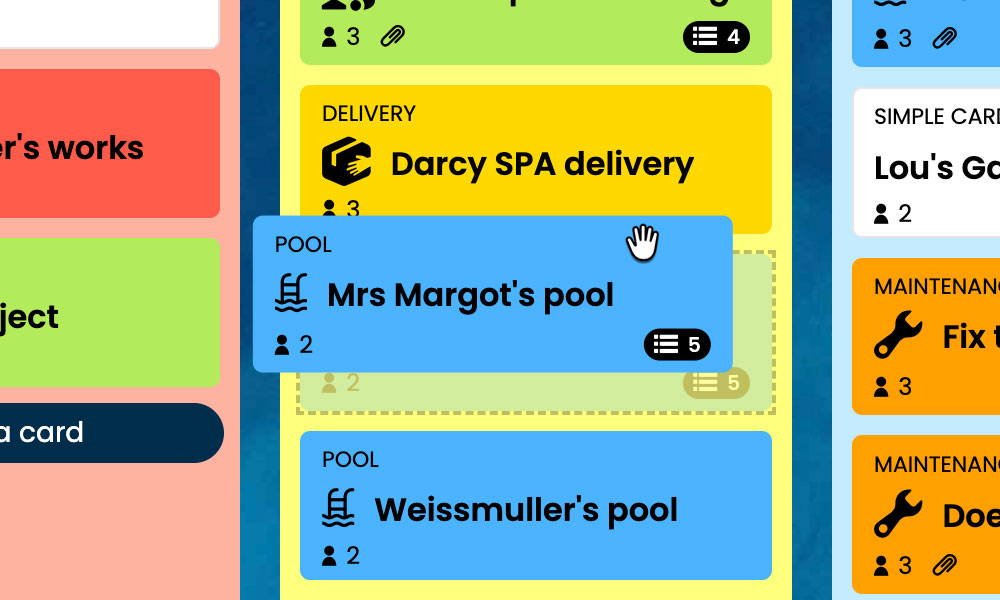
Kanban: Visualise your projects and their progress, from initial scoping to the final review.
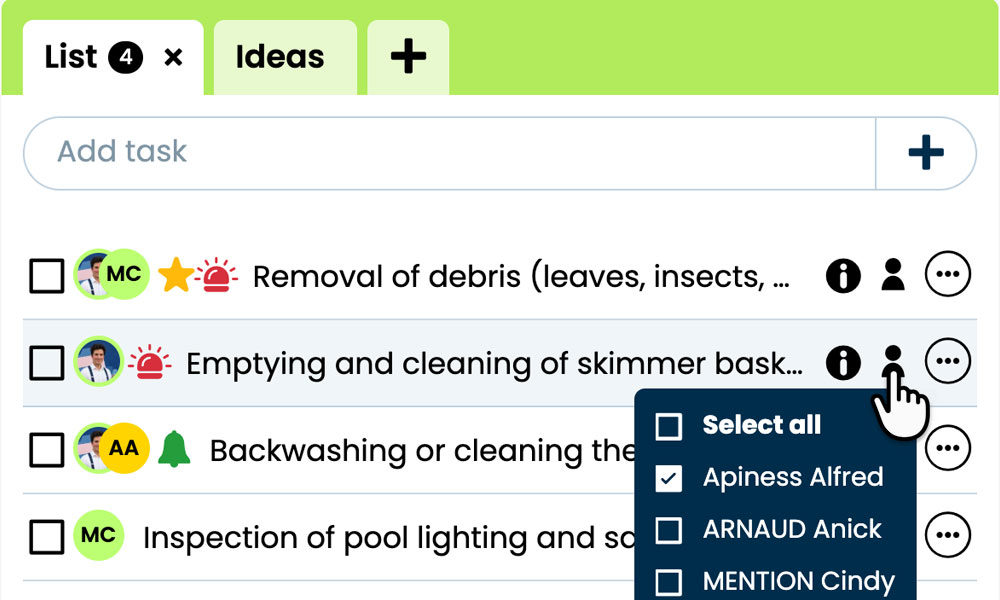
GTD: Organise each project’s tasks, notes and files to prepare your next steps.
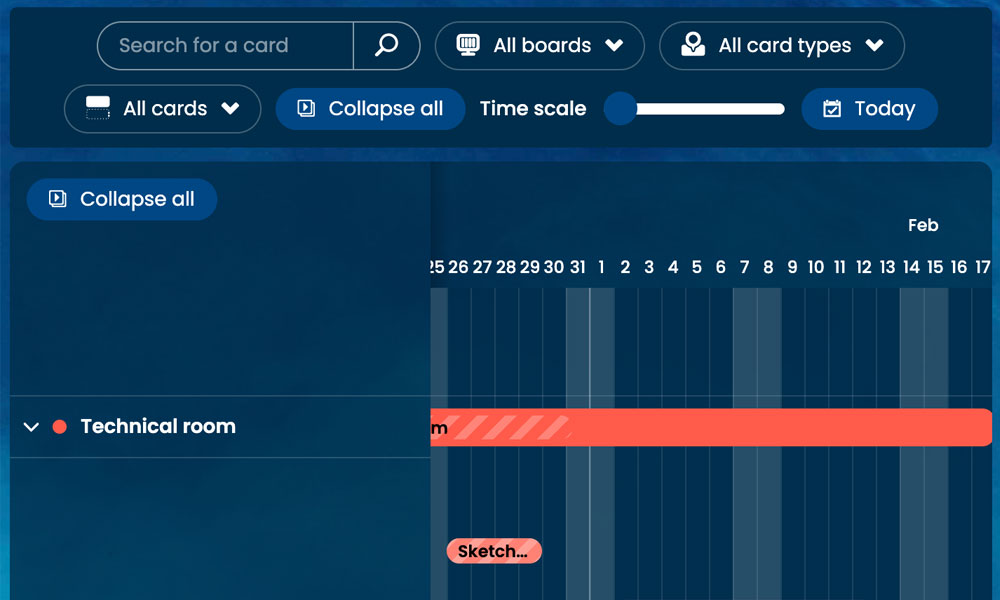
Gantt: View the stages and deadlines of your training programmes on a timeline.
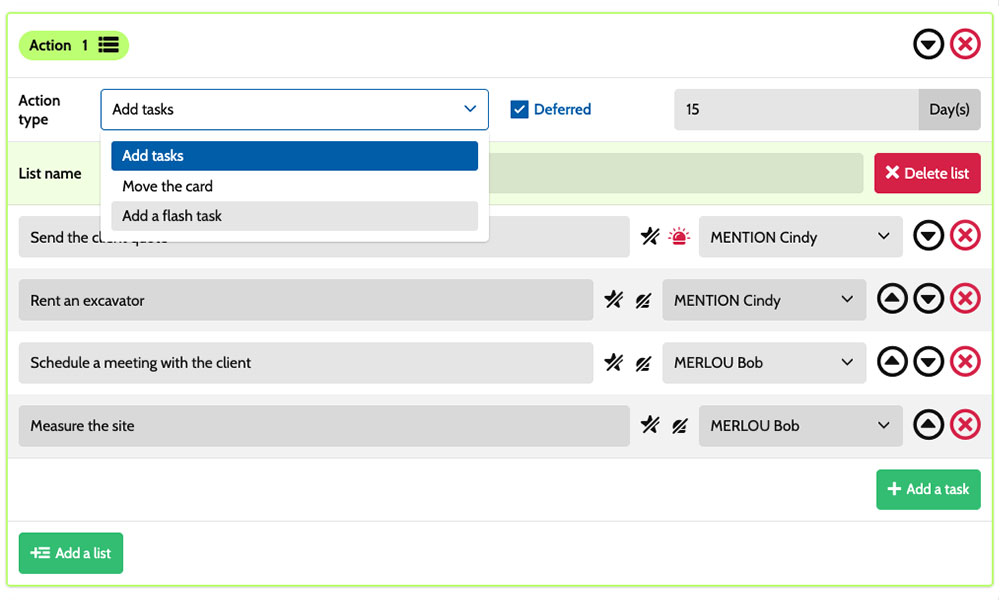
Workflow: Set up tasks using scenarios tailored to your processes.
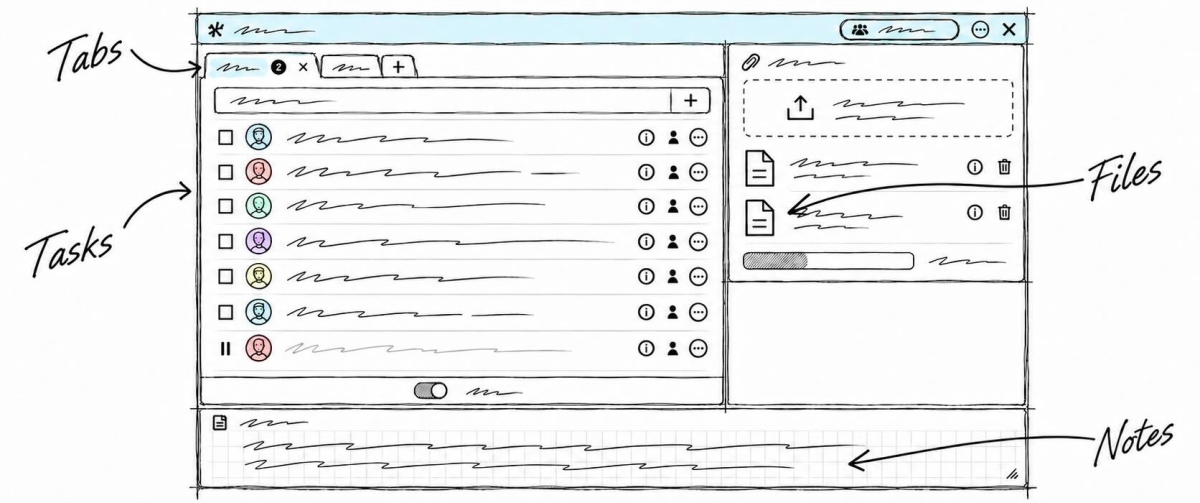
Inside each card, you define the actions to take:
specify the candidate profile, prepare an interview assessment form, gather availability or arrange a review meeting. Task assignments show who is involved, while priorities help distinguish urgent actions from preparations that need planning ahead. Notes and attachments bring together the objectives, programmes and meeting records relevant to the project. This helps you coordinate HR leads, managers and providers while keeping track of the commitments specific to each project.
An example board for tracking your HR projects
Here is a customisable configuration example for an HR team managing recruitment, training and individual development programmes. Each card corresponds to a separate project, with its own tasks and deadlines. The five columns show project progress, while the six card types distinguish the activities involved. You can adapt this framework to your department’s responsibilities, managers’ roles and communication with the providers involved in professional development programmes.
Stages that match the way you work
In this example, Project scoping, Preparation, Action/approval and Project completion make the progress of HR projects visible. The On hold column keeps paused projects in view while waiting for someone’s availability, a document or a decision.

A few examples of project types: define your own!
- Coaching: a programme to develop professional skills and behaviours and achieve defined goals.
- Recruitment: finding and selecting candidates for a specific role.
- Training : a learning programme to acquire or strengthen skills.
- Skills assessment: a review of skills and career prospects.
- Career support: personalised guidance through career transitions and development.
- Annual appraisal : a review of achievements and professional goals.
Scenarios and workflow:
customise automation for your projects
1️⃣ The trigger
A recruitment project is scoped in Project scoping, then organised in Preparation. Once the interview shortlist is confirmed, the HR lead manually moves the card to Action/approval to begin the interview process.
You can configure a scenario for cards of the Recruitment type when they enter Action/approval. This combination of card type and entry into the column triggers the creation of predefined tasks. You define their content and assignees to suit your organisation, preparing interviews without having to re-enter the same actions for every new recruitment project.
2️⃣ The actions (workflow)
Otilus automatically creates the tasks defined in the scenario:
- schedule individual interviews
- prepare a standard interview assessment form
- interview candidates with two interviewers
- summarise the interviews and prepare the hiring recommendation.
These actions are assigned to the selected team members:
the recruiter handles scheduling, the manager conducts the interviews and the HR lead prepares the summary. You can customise the tasks, their assignees and their priorities as needed.
3️⃣ The result
The recruitment process moves forward with clear actions and responsibilities. Everyone involved can find their tasks, the interview assessment form and the notes, then complete their assigned work.
The HR lead can see which interviews still need to take place and which summaries are pending before the final decision.
The team stays in control of discussions and decisions. Once recruitment is complete, the HR lead manually moves the card to Project completion. If the manager remains unavailable, they use On hold to flag the delay and resume the process when the interview can take place.
An approach suited to skills and career development professionals
This board can suit a recruitment agency, a training provider, a professional coaching practice or a career guidance consultancy. These activities share a need to scope a request, coordinate several contributors and track a programme through to its final review. Cards bring together individual or group projects, along with their documents and actions. Stages and types can be adapted to the services offered, scheduled appointments and follow-up arrangements agreed with participants and the people supporting them.
Organise your recruitment, training and career support programmes on a board tailored to your team’s responsibilities.
No credit card required