
Project management for administrative departments and secretarial teams
Coordinate your files and gather the required documents while keeping track of your deadlines.
No credit card required

A shared framework for your administrative files
Keep a clear overview of the files to prepare, the documents you are waiting for and the approvals you need. In an administrative department or secretarial team, you need to coordinate multiple requests, keep track of the information received and prevent a missing supporting document from holding up an entire file. Otilus helps you assign this work, from the initial request through to submission for final approval.
A payroll file is waiting for variable pay data, an administrative procedure requires a certificate and the meeting schedule still needs confirming. With supporting documents arriving separately, incomplete contact details and managers with limited availability, dependencies quickly build up. A file may appear ready while still missing a document, a clarification or an essential approval before processing can continue.
In Otilus, each card represents a project: internal meetings, an accounting file or an administrative procedure. Columns show its phases. You can quickly identify files that need completing, those being processed and those awaiting approval. Card types distinguish your file categories, making it easy to find payroll or document drafting requests during your team meeting.
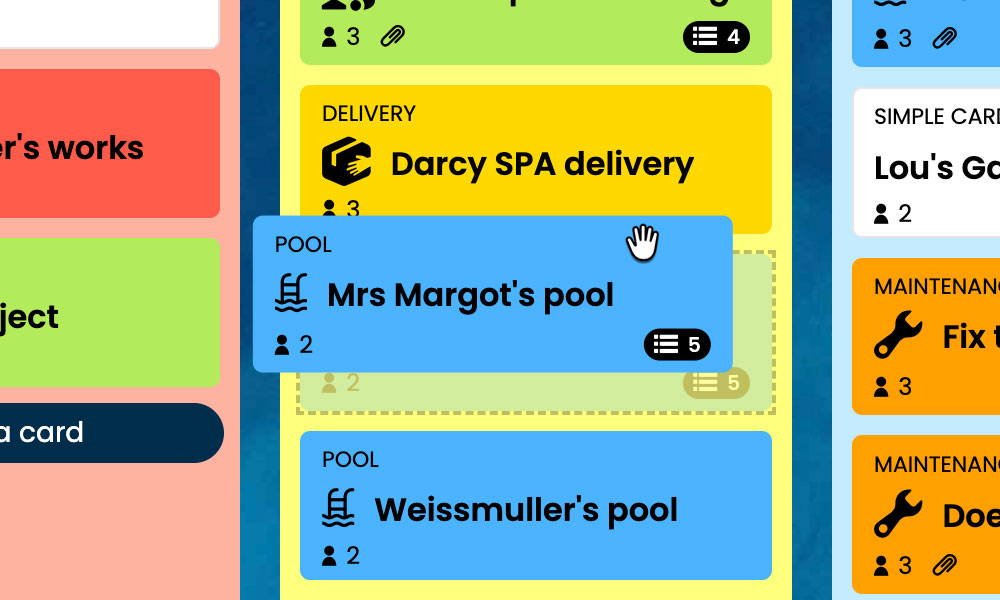
Kanban: Visualise your administrative files and their progress, from receipt through to approval.
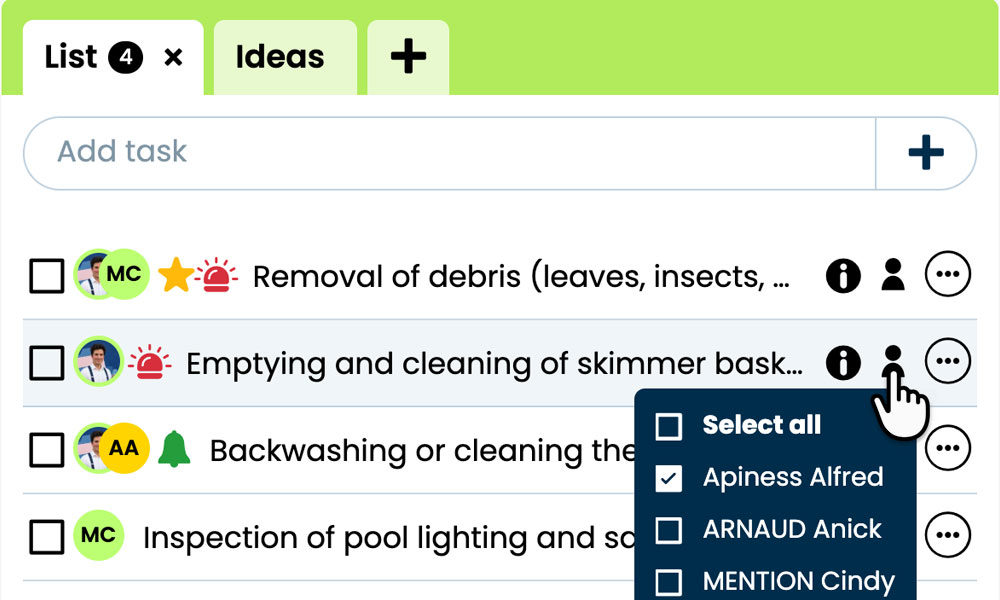
GTD: Organise each file’s tasks, notes and attachments to keep information easy to find.
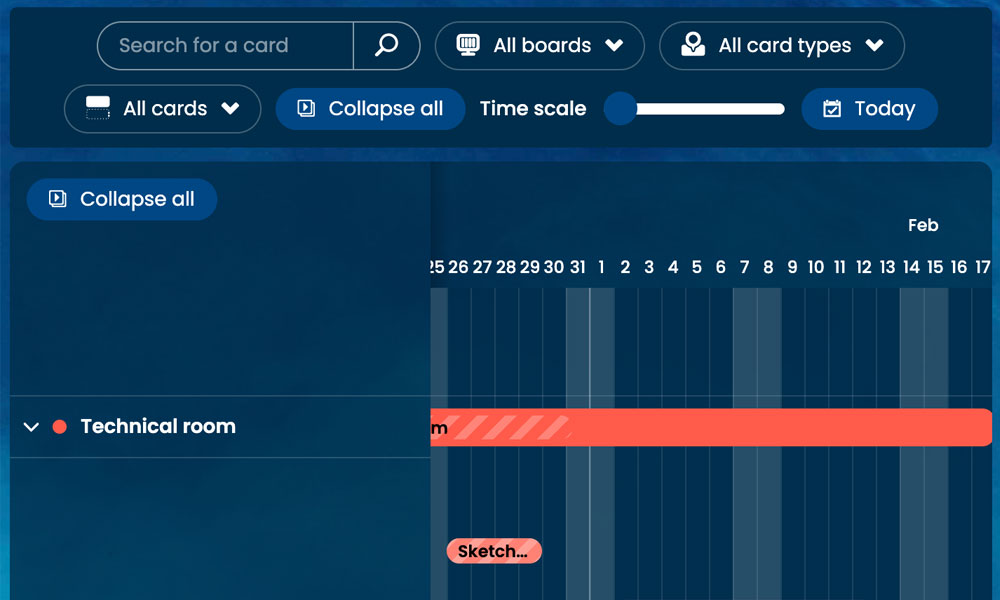
Gantt: View the phases and deadlines of your files together on a single timeline.
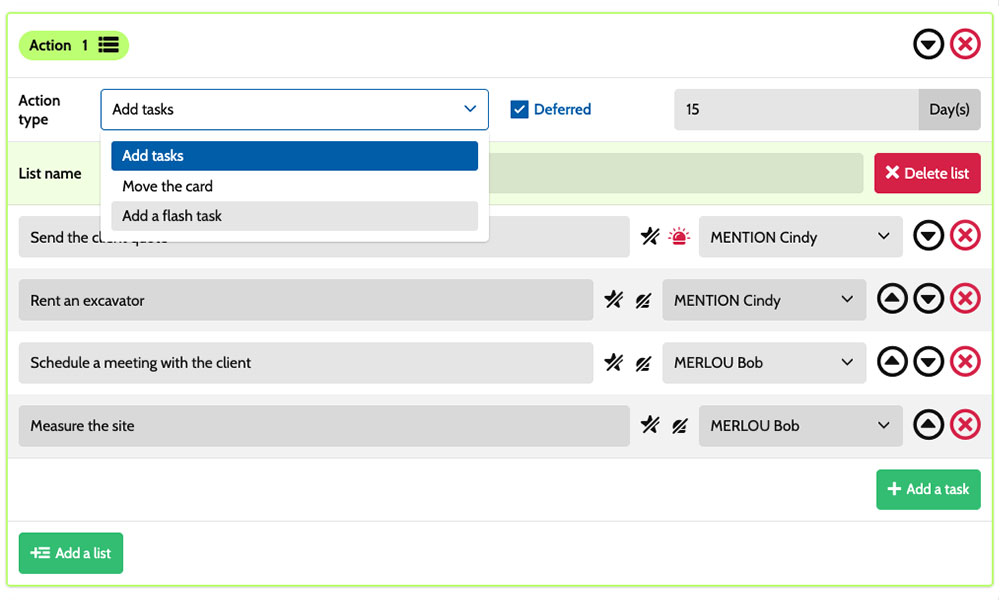
Workflow: Automatically create tasks based on your administrative file types.
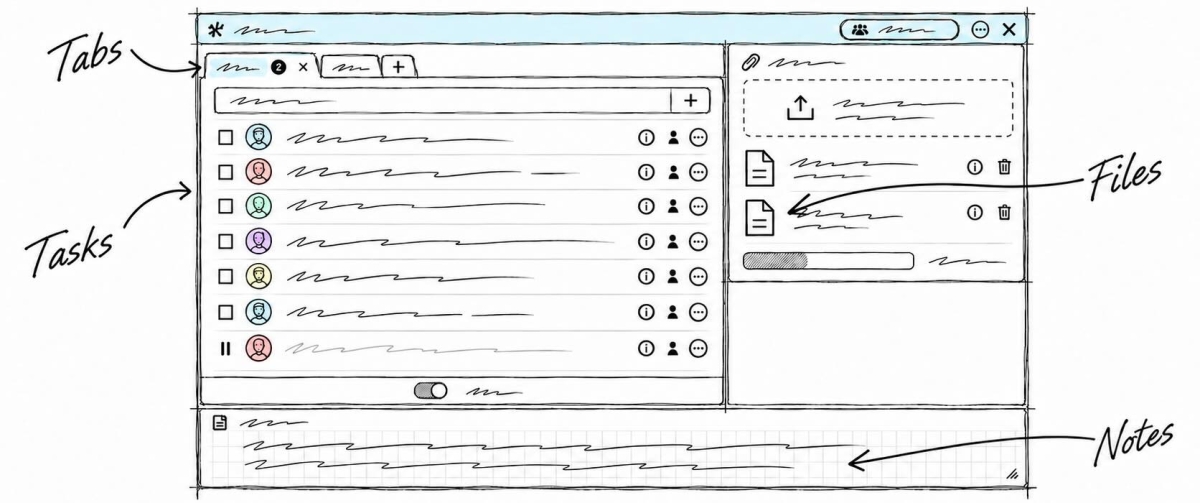
Within each card, you set out the actions to take:
check supporting documents, complete missing information, draft a letter or review variable pay data. Task assignments make it clear who is involved, while priorities distinguish urgent requests from routine work. Notes and attachments bring together the instructions, references and documents needed for each file. You have a shared framework for coordinating secretaries, administrative assistants and managers, while keeping track of the specific requirements of each request you handle together.
An example board for tracking your files
Here is an example of a customisable setup for a department managing schedules, administrative procedures and files. Each card corresponds to a separate file, with its own tasks and documents. The five columns provide an overview of progress, while the six card types distinguish the different categories. You can adapt their names to your organisation, the responsibilities of those involved and the review steps required before submitting your files for approval.
Phases that match the way you work
In this example, To do, Information gathering, Processing and Approval show the progress of administrative files. The On hold column keeps paused files visible while you wait for a supporting document, a response or a decision before continuing.
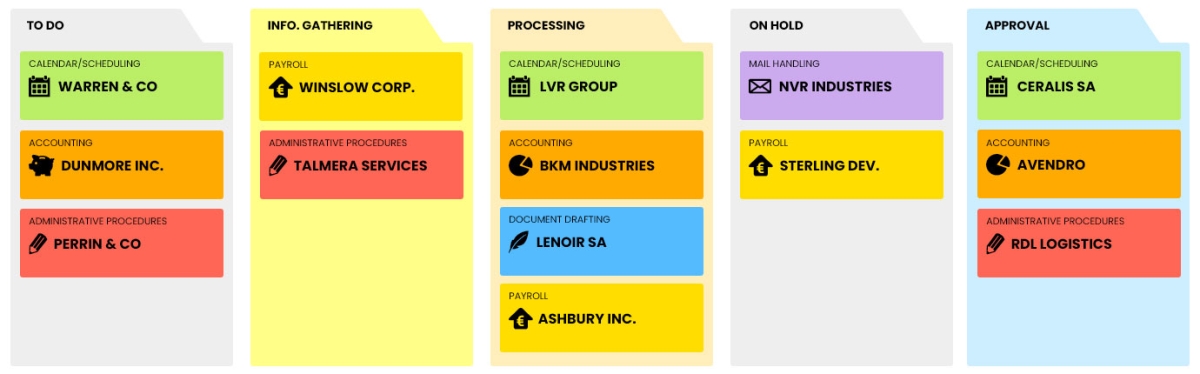
Some examples of project types: define your own!
- Calendar/scheduling: organising appointments, meetings and availability for teams and departments.
- Accounting: accounting files bringing together supporting documents and information for review.
- Administrative procedures : files for formalities with organisations or public authorities.
- Payroll: monthly files bringing together variable pay data and supporting documents.
- Document drafting: preparing letters, meeting minutes and documents.
- Mail handling: receiving, sorting and tracking incoming and outgoing mail.
Scenarios and workflows:
customise your project automation
1️⃣ The trigger
A monthly payroll file arrives in To do, then moves to Information gathering. Once the variable pay data has been collected, the administrative assistant moves its card to Processing to prepare the information for the payroll manager.
You can configure a scenario for a Payroll card entering Processing. This combination triggers the creation of the predefined tasks. You choose the actions to create, their assignees and their priorities to suit your organisation. The scenario remains configurable to reflect how responsibilities are shared and what your monthly payroll files contain.
2️⃣ The actions (workflow)
Otilus automatically creates the tasks defined in the scenario:
- check the supporting documents received
- verify the dates of reported absences
- cross-check the variable pay data submitted
- prepare a summary of the information to present to the manager.
These actions are assigned to the selected team members:
the administrative assistant for supporting documents, the payroll officer for variable pay data and the administration manager for the summary. You customise the tasks, their assignees and their priorities.
3️⃣ The result
The payroll file enters processing with tasks already assigned. Everyone involved can find their actions, instructions and supporting documents to prepare the month’s payroll information.
The administration manager can identify the remaining tasks before submitting the monthly file to the payroll officer.
The team retains control over its checks and the information submitted. When the file is ready, the assistant manually moves the card to Approval. If a supporting document is missing, they place the file On hold to make the delay visible and resume processing once the document arrives.
An approach suited to everyday administrative support roles
This board can also suit executive assistants, freelance secretaries, administrative departments, business support assistants and administrative teams in non-profit organisations. These roles all involve receiving requests, collecting supporting documents, preparing paperwork and submitting files to a manager. Card types can reflect their file categories and assigned responsibilities. The phases can be adapted to their processing steps, the information required and the checks needed before submitting documents for approval.
Organise your files, supporting documents and deadlines on a board tailored to your administrative work.
No credit card required