
Project management for IT departments
Assign IT work and track issue resolution while keeping on top of user requests.
No credit card required
A tool to coordinate your IT team
Keep a clear overview of incoming requests, work in progress and incidents to resolve. In an IT department, you need to coordinate multiple cases while keeping technical information together and preventing delays from holding up users. Otilus helps you allocate work, from the initial report through functional checks to the closure of each case.
A new computer needs setting up, an application will no longer launch and an office has lost its network connection. Between requesting details from users, obtaining access for troubleshooting and waiting for replacement parts, each case follows a different path. A case may seem almost resolved while still requiring an on-site test or confirmation that service has been restored.
In Otilus, each card represents a project: setting up a computer, resolving a network outage or handling a support case. Columns show its stages. You can immediately identify requests to assess, work in progress and cases on hold. Card types distinguish your areas of work, helping you find maintenance or security projects when preparing a review with your technical team.
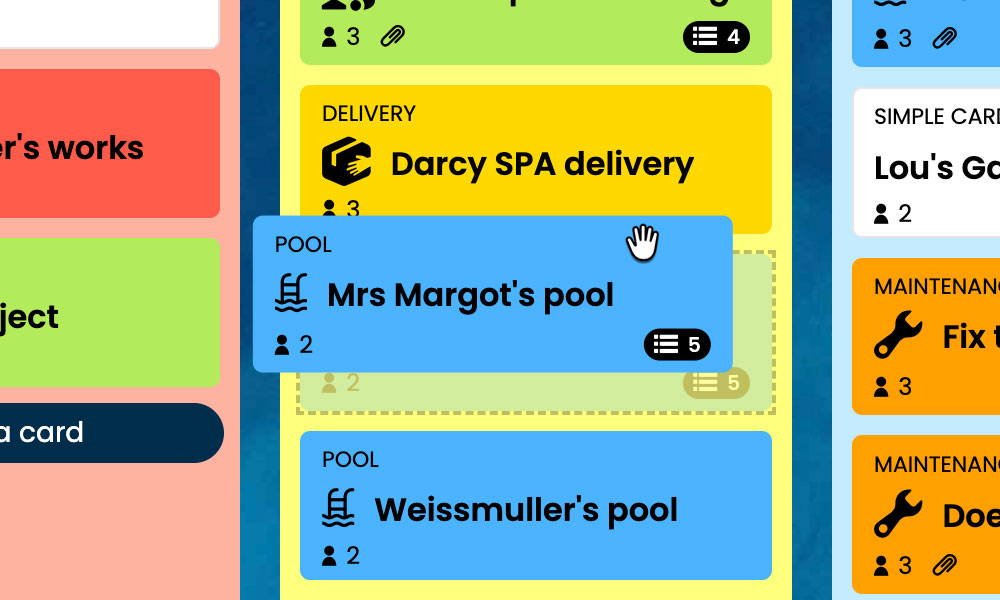
Kanban: Visualise your IT cases and their progress, from the initial report to closure.
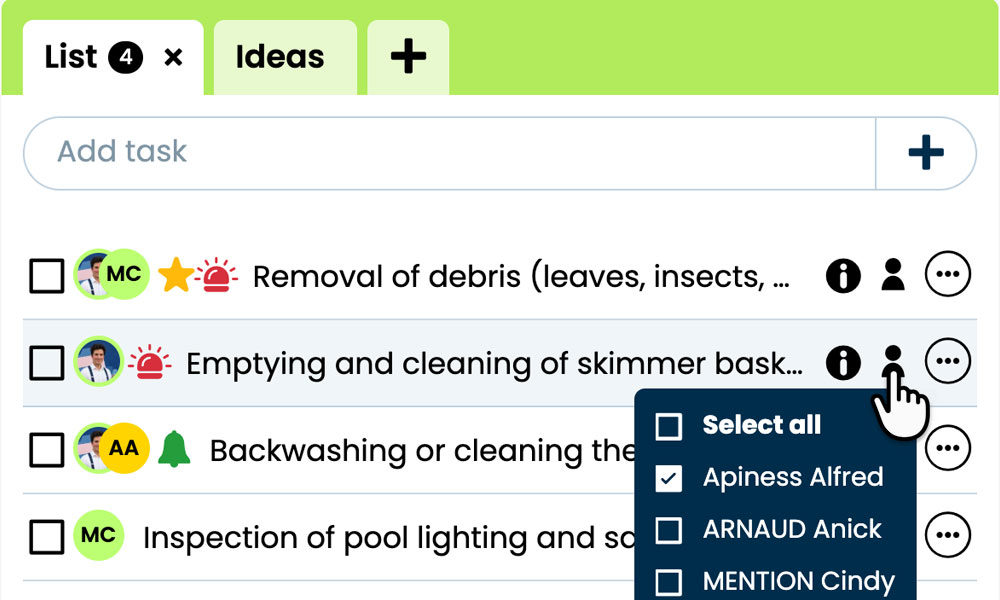
GTD: Keep each case’s tasks, notes and files together to prepare your work.
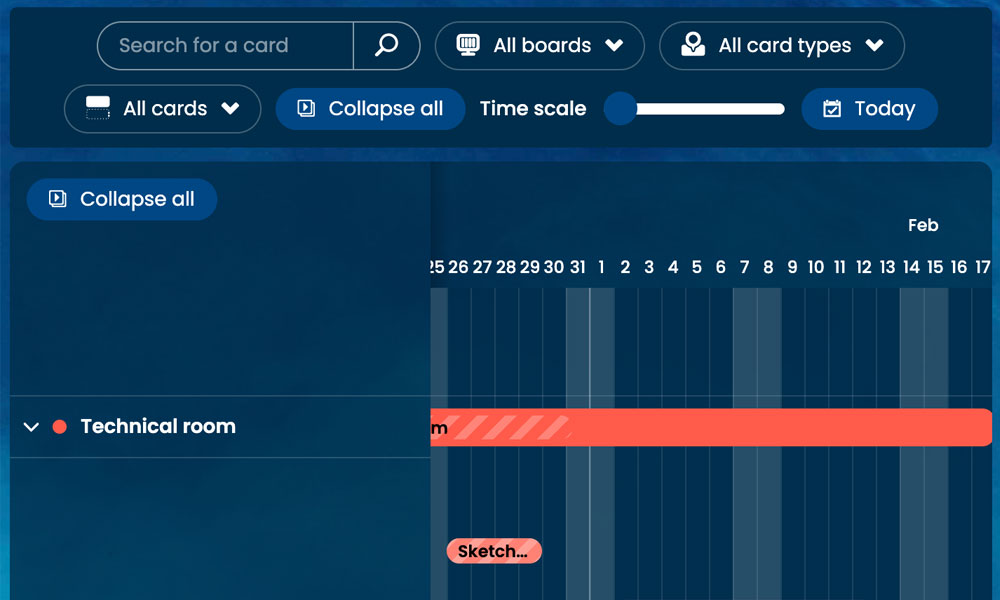
Gantt: View the stages and deadlines of your IT work on a shared timeline.
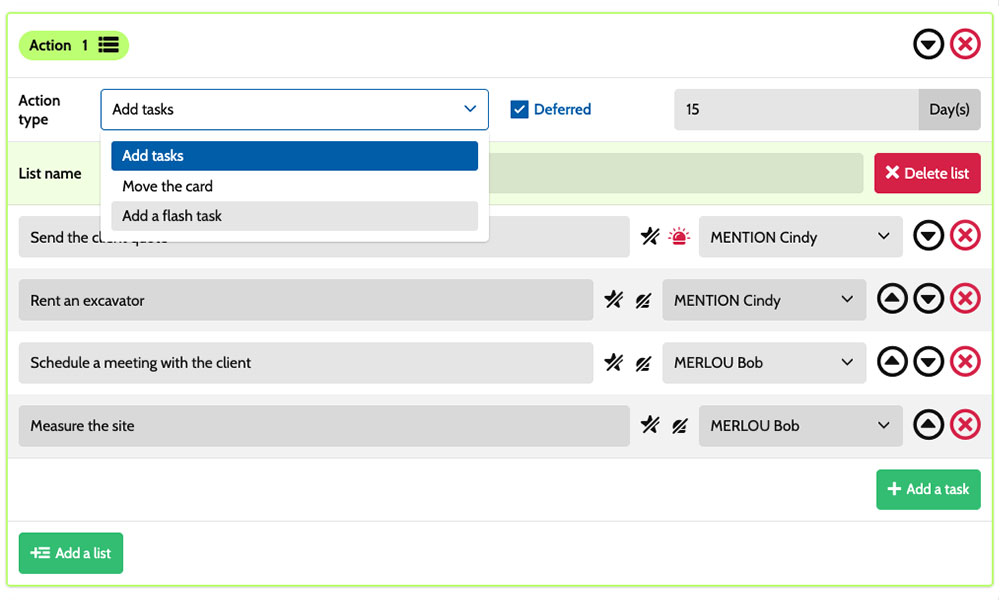
Workflow: Automatically create tasks based on the card type and stage.
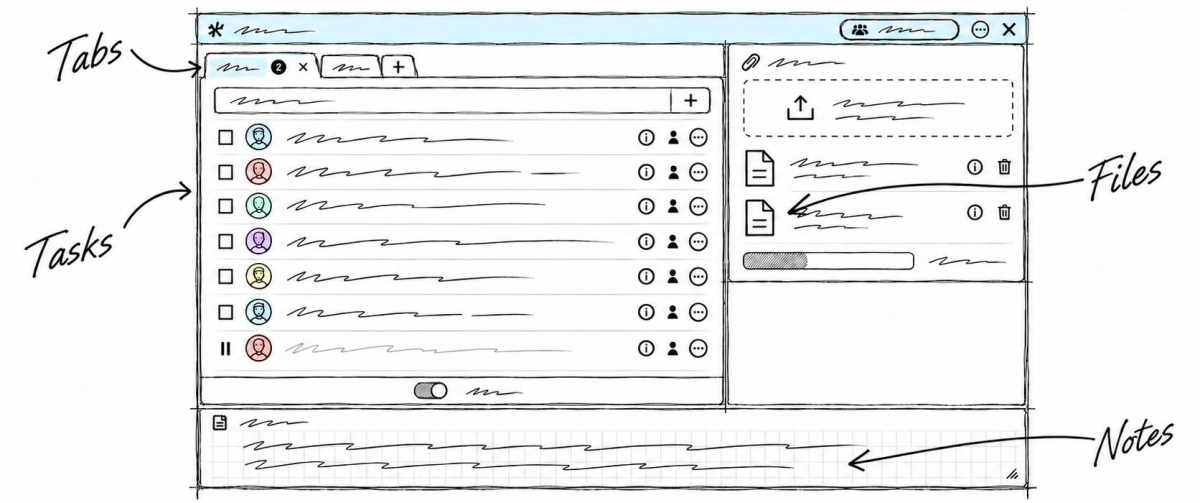
Inside each card, you specify the actions to take:
gather information about symptoms, review logs, replace a component or check that everything works after an intervention. Task assignments make it clear who is responsible, while priorities help you allocate work according to users’ needs. Notes and attachments bring together observations, technical instructions and relevant documents. You have a shared framework for coordinating technicians, administrators and the IT manager while retaining the specific details of each incoming request.
An example board for tracking your IT cases
Here is a customisable example setup for an IT department responsible for equipment, software and user support. Each card corresponds to a separate case, with its own tasks and deadlines. The five columns provide an overview of progress, while the six card types distinguish different kinds of work. You can adapt their names to your organisation, your technicians’ responsibilities and the way your team tracks requests.
Stages that fit the way you work
In this example, the Request/ticket, Diagnosis, Action/Checks and Resolved/closed columns show the progress of IT cases. The On hold column keeps paused work visible while you wait for a part, technical access or the availability of the user concerned.
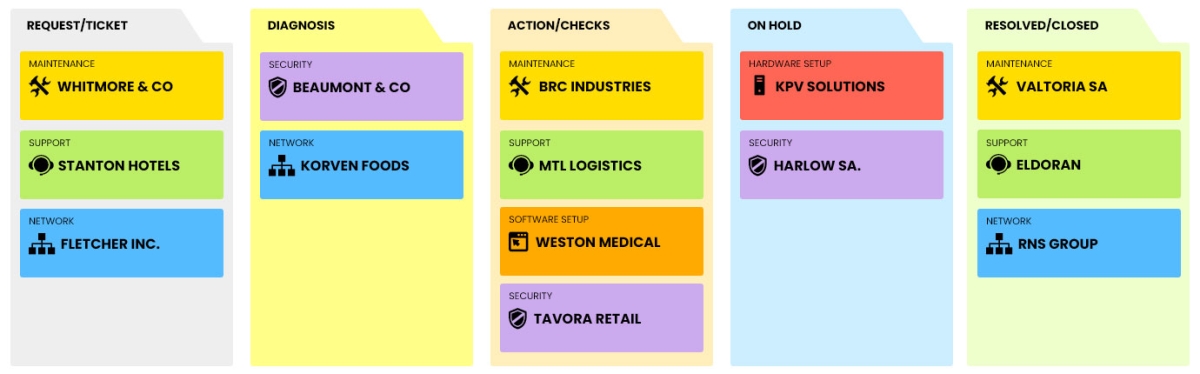
Some example project types: define your own!
- Hardware setup: preparing computers, peripherals and equipment to meet users’ needs.
- Software setup: installing and configuring applications on users’ workstations.
- Network : cases involving connectivity and network infrastructure.
- Maintenance: servicing equipment and restoring it to working order.
- Security: projects to protect equipment and secure access.
- Support: helping users resolve IT issues.
Scenarios and workflows:
customise your project automation
1️⃣ The trigger
A request to set up a new computer is logged in Request/ticket. After reviewing the requirements in Diagnosis, the IT manager moves the card to Action/Checks to prepare the workstation for a new team member.
You can configure a scenario for the Hardware setup type when a card enters the Action/Checks column. This combination triggers the creation of the predefined tasks. You choose the actions to prepare, their assignees and their priorities to organise the new computer’s setup according to your working practices and the workstation’s requirements.
2️⃣ The actions (workflow)
Otilus automatically creates the tasks defined in the scenario:
- check the components received
- install the operating system and drivers
- configure network access
- test the peripherals and check that the workstation works correctly.
These actions are assigned to the selected team members:
the technician handles installation, the network administrator sets up access and the IT manager carries out the checks. You customise the tasks, their assignees and their priorities to match your usual working arrangements.
3️⃣ The result
Computer setup begins with clearly defined responsibilities. Everyone involved finds their tasks, instructions and relevant documents in the card, then carries out the planned actions.
The IT manager can see which tasks remain before handing the workstation over to its user.
The team retains control over testing and closure. After checking that everything works, the manager manually moves the card to Resolved/closed. If a component is missing, they place the case in On hold to keep the delay visible until the equipment needed for installation arrives.
An organisation suited to maintenance and support teams
This board can also suit a technical support team, an IT maintenance provider, an independent systems administrator or a team responsible for an organisation’s digital equipment. These roles all involve assessing requests, diagnosing issues, carrying out work and performing checks before closure. Card types can reflect the Hardware setup, Software setup, Network, Maintenance, Security and Support categories, depending on the cases handled. The stages adapt to team members’ responsibilities, users’ availability and any delays while waiting for parts or access during the work.
Organise your requests, diagnostics and IT work on a board tailored to your IT department.
No credit card required