
Otilus, the ultimate task manager?
Could Otilus become the ultimate task manager? Discover how it brings together project management, priorities, automation and French digital sovereignty.

Monday November 09, 2026
A task manager helps you organise the actions that need to be completed. But as soon as several people work on multiple projects, a simple list starts to show its limits. You also need to assign responsibilities, set priorities, prepare the next steps and find out what has been done.
Otilus approaches task management as a connected whole: every action stays linked to its project, its team members and its progress. Task assignments, subtasks, notifications, automation, delayed actions, history and archives support work over time. Enough to claim the title of ultimate task manager? Let's look at how it works before handing out the trophies.
A task manager that keeps the project in view
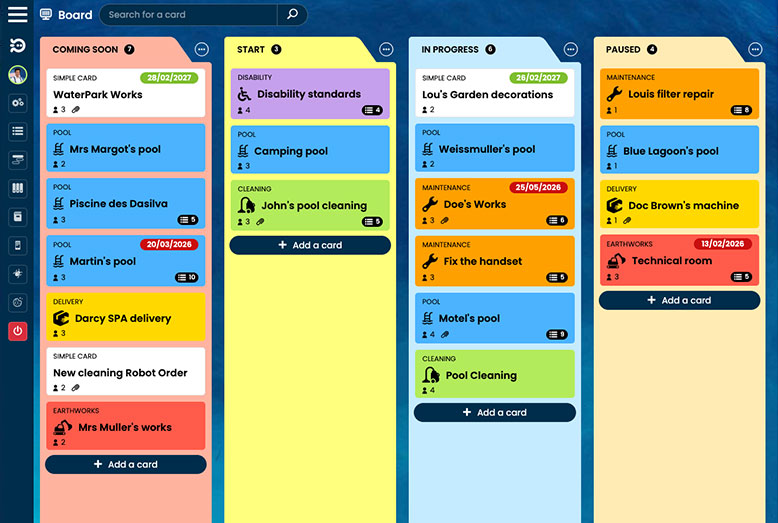
Ticking twenty boxes does not guarantee that a project is moving forward. Those actions still need to contribute to the right objective. In Otilus's reimagined Kanban, a card represents a project and the columns represent its phases. Tasks, notes and documents are brought together in this shared space.
This structure offers two complementary perspectives: see where projects stand, then open a card to take action. A manager follows the team's overall progress, while a team member finds the context they need for their part of the work.
According to a study published by the Project Management Institute in December 2025, involving more than 5,800 professionals and stakeholders, 50% of projects meet its definition of success: perceived value that exceeds the effort and expense involved. The findings are a reminder that a project should also be judged by its usefulness, beyond the boxes ticked.
👥 Assign tasks and clarify responsibilities
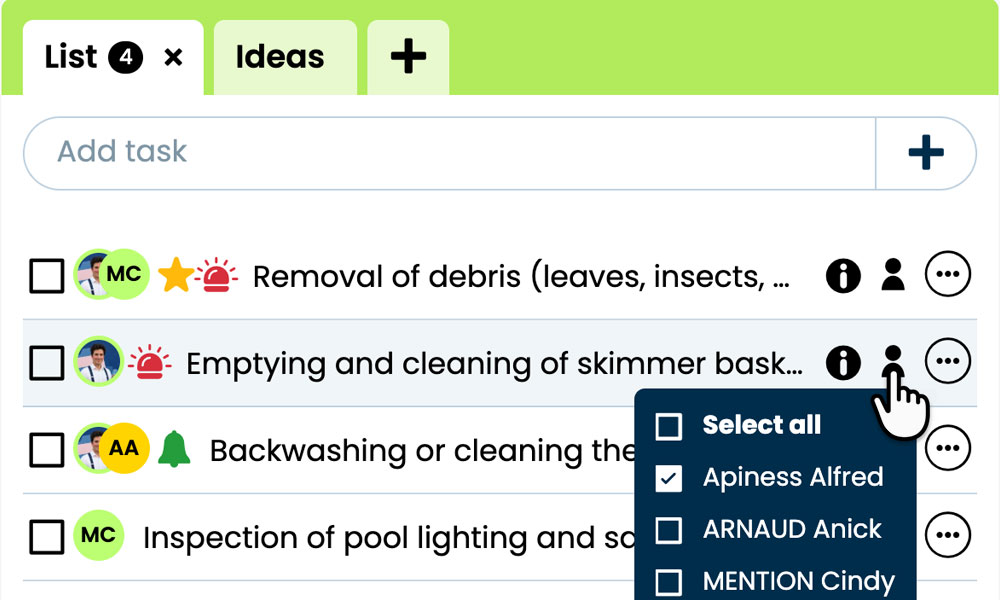
A task called “Prepare for approval” may seem clear. Until three people assume a fourth is taking care of it. Otilus lets you assign tasks to team members so that everyone knows who is responsible for what.
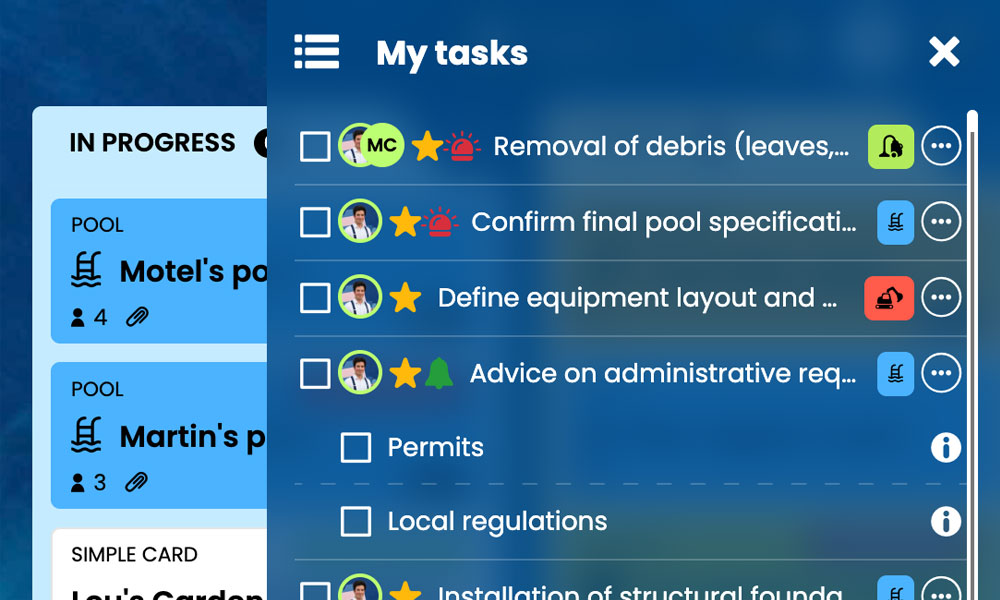
Each user can then find their actions in My tasks, even when they come from different boards or projects. This personal view makes it easier to take action while maintaining the link with the team's overall organisation.
Clarity remains a real management challenge. In the first half of 2026, 49% of US employees surveyed strongly agreed that they knew what was expected of them at work, according to Gallup. Software cannot replace clear instructions, but it gives responsibilities a shared home.
🎯 Prioritise with GTD and the Eisenhower Matrix
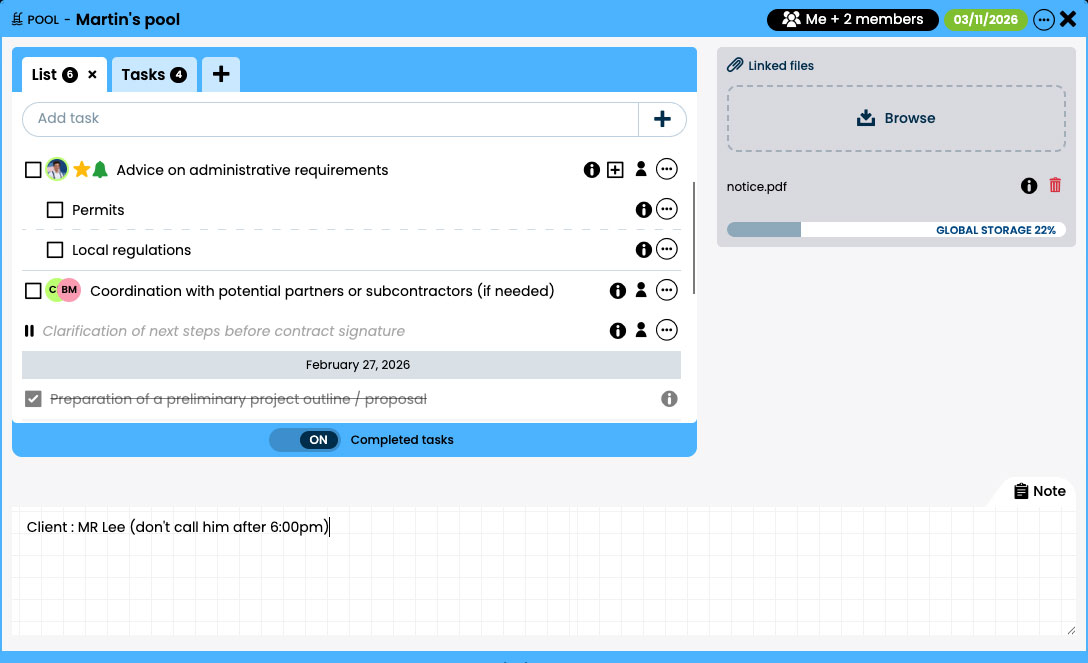
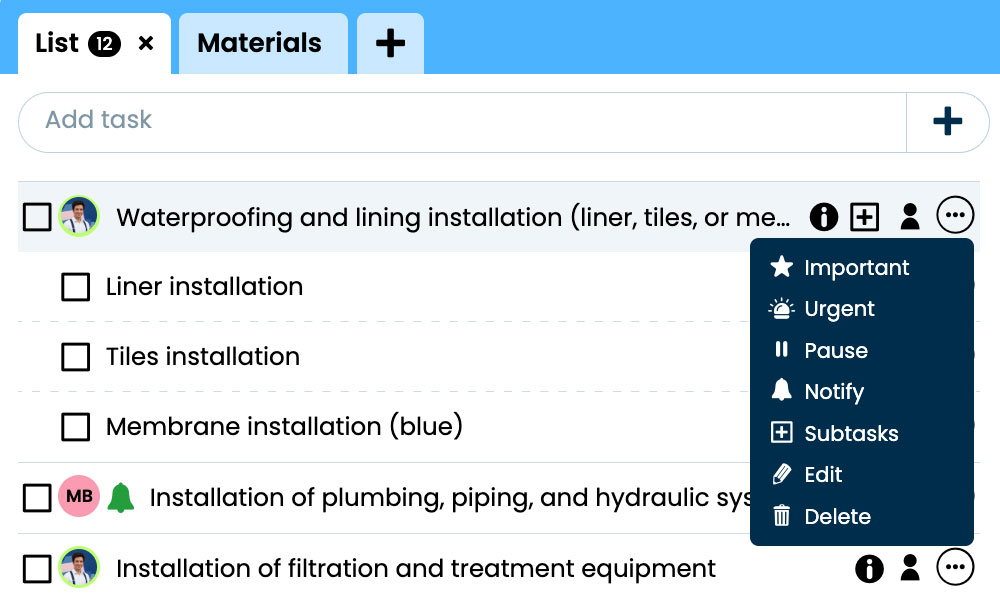
When every task is presented as urgent, choosing becomes difficult. Otilus combines the principles of GTD and the Eisenhower Matrix to structure actions and distinguish their urgency from their importance.
An immediate request should not necessarily take precedence over an action that is crucial for the following week. By making these criteria visible, the task manager helps everyone weigh their options. Flash tasks also highlight work that requires particular attention.
Priorities can evolve as the project progresses. A task can also be paused when it does not require immediate attention. The aim is to make decisions clear and review them when the situation changes.
🧩 Create subtasks to make work actionable
“Prepare the launch” sounds more like an objective than an action you can carry out straight away. With subtasks, complex work can be broken down into steps: gather information, check the details, prepare the deliverable and carry out the final review.
Breaking work down makes it easier to complete and understand its progress. It also helps you pass on a method to a colleague taking over the project. Otilus version 2.1.1, dedicated to scenarios and subtasks, expanded these capabilities. The right level of detail is the one that helps you work: there is no need to create a subtask to remind you to read the previous one.
🔔 Notify the right people at the right time
Assigning an action is not always enough to get someone's attention. Otilus offers configurable notifications to keep track of relevant events: assignment to a project, an assigned flash task, a phase change or an approaching deadline.
You can also request a notification when a specific task is completed. This is useful when someone is waiting for that work to be done before taking their turn. Each user chooses their preferences to receive information relevant to their work.
An alert should help you decide or act. If every change causes an interruption, the signal eventually gets lost in the noise.
⚙️ Automate tasks and delay actions
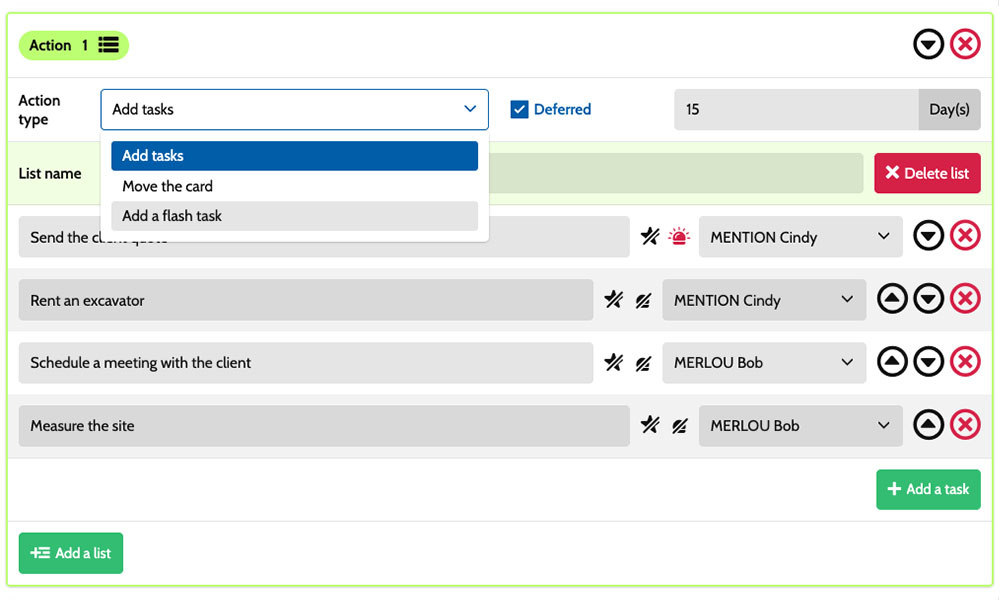
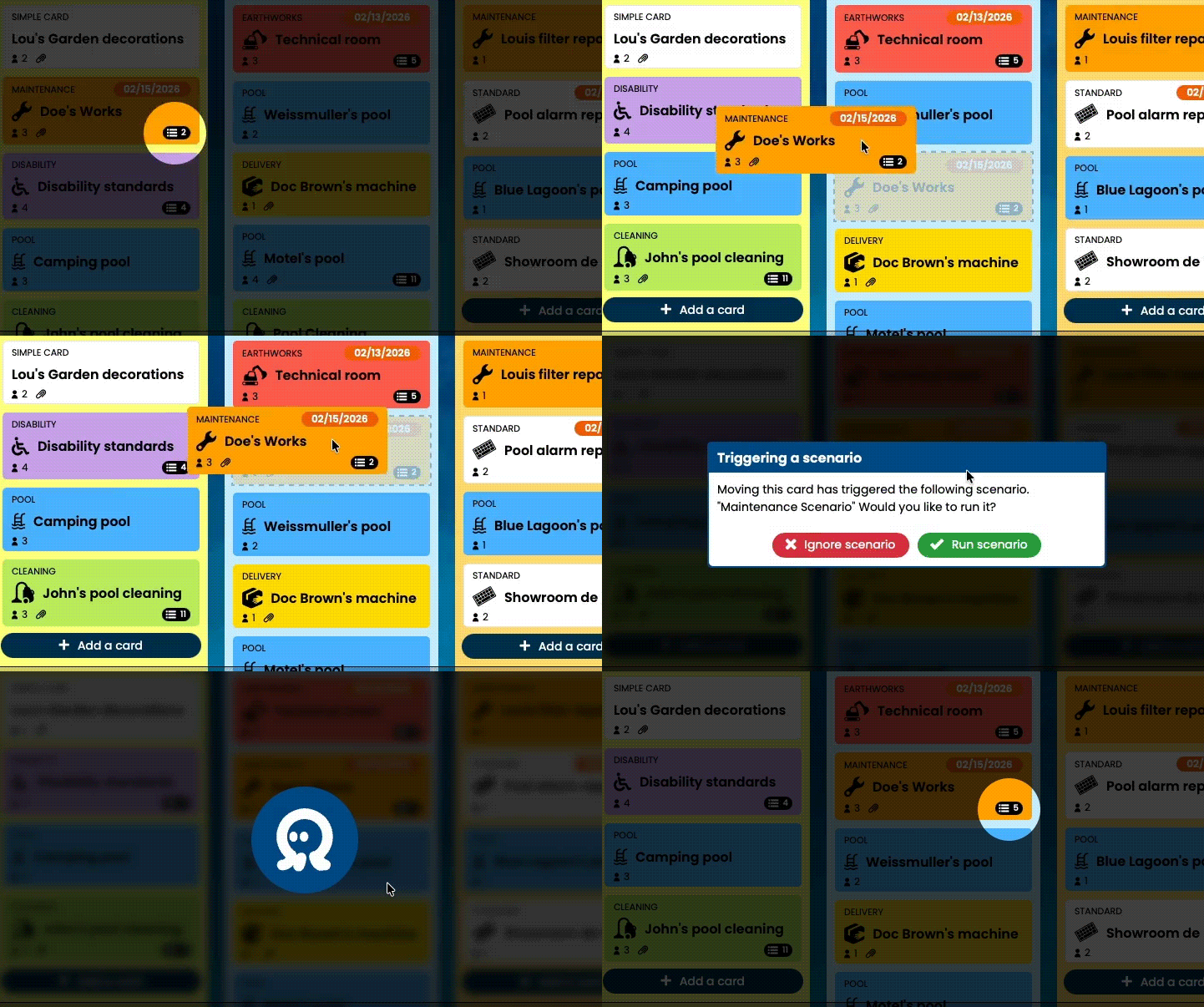
Scenarios reproduce a working method based on the card type and its current phase. When a project enters a column, Otilus can generate the planned tasks, assign them and set their urgency or importance.
You can prepare a procedure once, then apply it to the relevant projects. A team keeps its essential steps without rebuilding the same lists for every project. Scenarios can also create flash tasks or trigger card movements.
With the delayed actions introduced in Otilus 2.2, certain actions run after a set number of days following the scenario trigger. For example, a project entering the “Approval” phase can schedule the creation of a follow-up task seven days later.
The distinction: pausing a task puts work on it on hold. Delaying a scenario action schedules it to run later. In both cases, work stays organised instead of relying solely on a team member's memory.
🔎 Track actions with the history and activity log
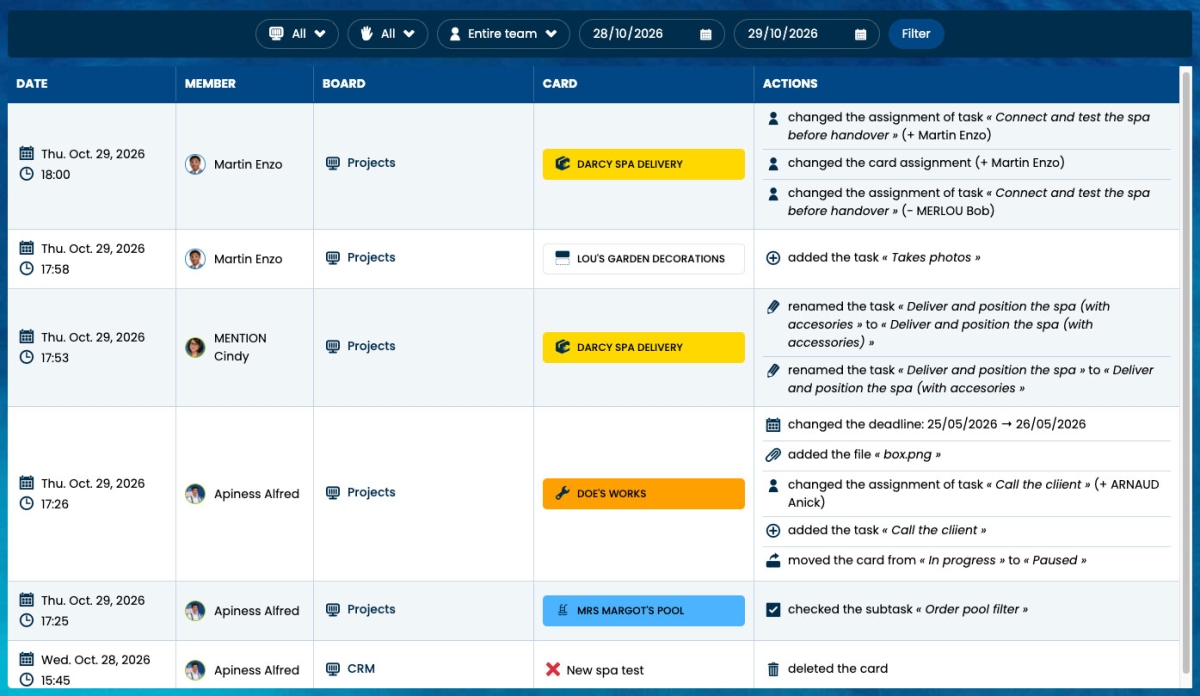
Who completed this task? When did the deadline change? The project history lets you find actions and their sequence. It provides concrete information to help you understand a project or answer someone's questions.
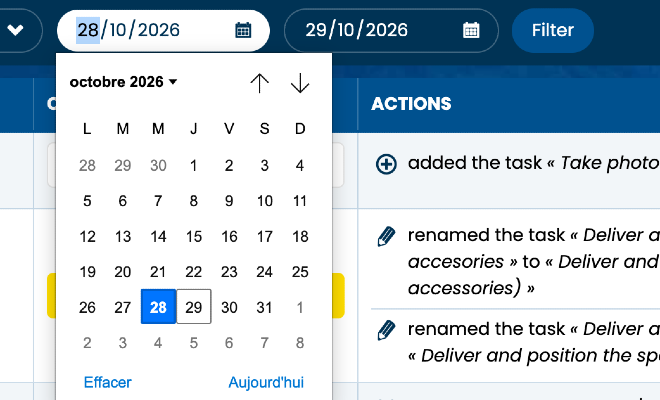
The activity log available since Otilus 2.2.1 complements this with a cross-project view for administrators and managers, according to their permissions. It brings together events such as task changes, assignments, card movements and deadline changes.
Filters by board, card, team member, action and date range make it easier to search the recorded events. This traceability helps you understand a change and coordinate the next steps. However, the number of actions recorded does not reflect either the difficulty of a piece of work or its value.
📅 Plan, complete and archive projects
Daily tasks fit into a broader schedule. Otilus's Gantt chart uses phase dates to show projects over time. The team can identify overlaps, delays or deadlines to watch without rebuilding a separate schedule.
Once a project is complete, archiving removes its card from active boards while retaining its useful information, tasks and history. An archived card can be found and unarchived to resume work on the project.
The task log can also be exported as a CSV file, and documents can be downloaded for independent storage. Remember to download any useful attachments before archiving the project. You can then keep your files in the storage space of your choice.
Otilus features at a glance
| Need | Otilus feature |
|---|---|
| 👥 Distribute the work | Task assignments and the My tasks view. |
| 🎯 Decide what to work on | Urgency, importance, flash tasks and pausing. |
| 🧩 Break work down | Checklists and subtasks. |
| 🔔 Stay informed | Notifications based on events and preferences. |
| ⚙️ Prepare the next actions | Automated scenarios and delayed actions. |
| 🔎 Understand changes | Project history and activity log. |
| 📅 Plan ahead for deadlines | Phases, deadlines and Gantt chart. |
| 🗄️ Keep a record | Project archiving and exports. |
🛡️ A French task manager for your business data
Choosing task management software also means choosing where to entrust information about your clients, methods and projects. According to Eurostat, 52.7% of businesses in the European Union used paid cloud services in 2025. The survey covers businesses with at least ten people in the sectors studied.
Otilus is developed in France and hosts its business data in France. This approach to digital sovereignty complements its productivity features. Some optional services may involve third-party providers, so reviewing hosting arrangements and terms of use is part of the decision.
⚠️ So, is Otilus the ultimate task manager?
No tool is a perfect fit for every organisation. Otilus does, however, have a strong selling point: connecting the task lifecycle to the project lifecycle, from creation and assignment through to tracking and archiving.
To assess it, choose a representative project, assign actions, set priorities and test a scenario. Then see whether everyone can find their work, understand when to step in and keep track of changes. The best task manager is the one that helps your team move forward and that they actually adopt.