
Classic Kanban vs Project-oriented Kanban: what’s the difference ?
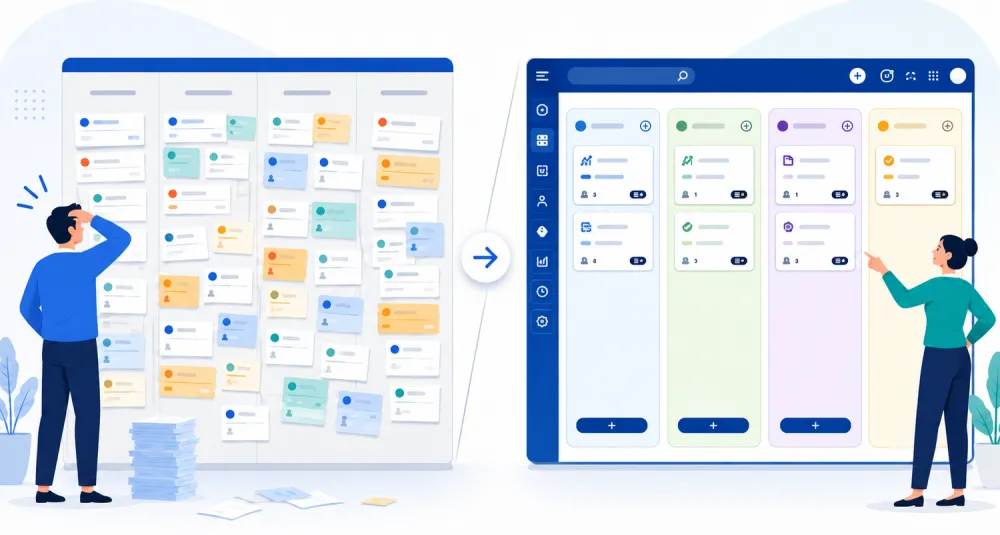
A limitation quickly appears in a classic Kanban board: when each card represents a task, boards can soon become difficult to read. Actions multiply, priorities become scattered, and you can sometimes end up losing the overall view of the project.
Monday June 22, 2026
This is exactly where the difference between a classic Kanban and a project-oriented Kanban becomes clear.
Classic Kanban: a simple method for tracking tasks
In a classic Kanban, the way it works is generally very straightforward:
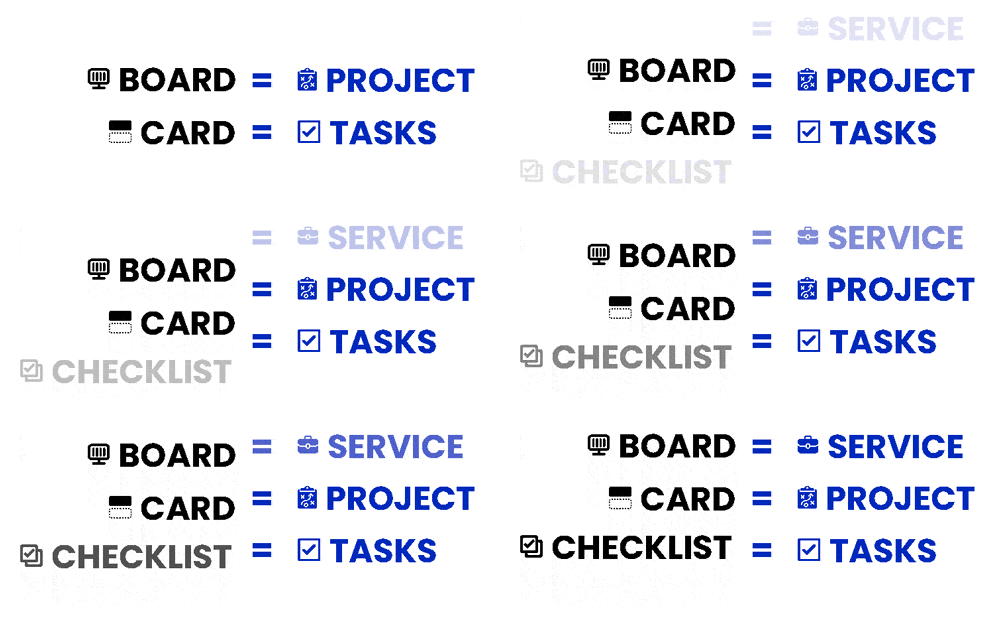
- a board often represents a project, a team, or a workflow;
- columns represent statuses such as “To do”, “In progress”, or “Done”;
- cards represent tasks to be completed.
This structure works very well for simple needs: tracking a few actions, organizing a to-do list, and quickly seeing what is moving forward or what is blocked.
But as soon as activity becomes denser, the board can fill up very quickly. A client request, an internal assignment, or a complete case file can end up being split into dozens of small cards. As a result, the team sees many tasks, but can sometimes lose sight of the project itself.
The risk: confusing activity with progress
A full board gives the impression that everything is being tracked. However, that does not always mean that the real progress of projects is easier to understand.
A team may know that several tasks are “in progress”, without immediately knowing:
- which project they belong to;
- which case file is the priority;
- what is really blocking delivery;
- who needs to step in next;
- which projects are on hold or waiting for a decision.
Project-oriented Kanban: a more structured view
Project-oriented Kanban is based on a different logic: the card no longer represents a simple task, but a complete project.
Tasks do not disappear. They are simply placed where they belong: inside the relevant project.
| Classic Kanban | Project-oriented Kanban |
| A card often represents a task | A card represents a project or a case file |
| The board can quickly accumulate many actions | The board remains readable, even with several projects in progress |
| Context is sometimes scattered across several cards | Project information remains grouped together |
| The overall view can become difficult | Project progress is easier to understand |
Why is this approach useful for an SME?
In an SME, teams often have to manage several projects at the same time: client requests, production, invoicing, after-sales service, administration, communication, recruitment, field operations…
The issue is not only knowing which tasks exist. The real challenge is knowing where each project stands, who is handling it, what is blocking it, and what the next step is.
1. Keeping an overview
When each card represents a project, the board remains easier to read. You can quickly understand which case files need to be started, which are in progress, which are pending, and which are completed.
2. Reducing mental load
Mental load does not only come from the amount of work. It also comes from the amount of information to remember: a deadline, a follow-up, a document, a client comment, an urgent action, a decision to be made.
By grouping tasks, notes, documents, and steps within the same project, information is no longer scattered. The team no longer has to remember everything: it knows where to find what matters.
3. Structuring the steps more effectively
In a project-oriented Kanban, columns are not only used to indicate whether a task has been started or completed. They can represent the real phases of the process: request received, quotation, production, approval, invoicing, archive…
A concrete example: a client request
Let’s take a simple client request: creating a communication material.
In a classic Kanban, you might create several cards:
- write the brief;
- prepare the quote;
- create the mock-up;
- send it to the client;
- make the corrections;
- prepare the invoice.
This method works, but it spreads the project across several cards. If the team is managing twenty requests at the same time, the board can become very crowded.
In a project-oriented Kanban, a single card is created for the client project. Inside it, you find the actions to be completed, documents, notes, people responsible, and deadlines.
Otilus: a Kanban designed for projects, not just tasks
Otilus is based on the Kanban logic, but with an approach better suited to everyday professional use.
In Otilus, a card represents a project. Tasks are organized inside this card, together with the information needed to move forward without losing context.
- Boards can represent departments, activities, or areas of the company.
- Columns can follow the real phases of a process.
- Cards bring together projects, information, documents, and actions.
- Automatic scenarios can help structure recurring steps.
- The Gantt chart makes it easier to step back and view deadlines and how projects follow one another.
The goal is not to add complexity. Quite the opposite: it is about making organization clearer, easier to read, and easier to manage.
Classic Kanban or project-oriented Kanban: which should you choose?
Classic Kanban remains relevant for simple task lists, one-off actions, or very short projects.
But as soon as a company needs to track several case files, coordinate several people, keep documents, manage deadlines, and maintain an overall view, project-oriented Kanban often becomes more suitable.
| Need | Recommended approach |
| Tracking a few simple tasks | Classic Kanban |
| Organizing a team around several case files | Project-oriented Kanban |
| Reducing follow-up meetings | Project-oriented Kanban |
| Keeping a project’s history and context | Project-oriented Kanban |
| Structuring an SME without an overly complex tool | Project-oriented Kanban |
A clearer organization, without making daily work heavier
The difference between classic Kanban and project-oriented Kanban is not just a matter of wording. It affects the way a company visualizes its activity. With classic Kanban, you mainly track tasks. With project-oriented Kanban, you track complete case files, while keeping actions at the right level of detail.
For an SME, this approach can make a real difference: less scattered information, fewer unnecessary meetings, less mental load, and a better understanding of what is truly moving forward.
Otilus was designed with this logic in mind: keeping the clarity of Kanban, while adapting it to the reality of business projects.